
Snowflake has become a popular choice for cloud data warehousing, but it’s not the only option available. The cloud computing market reached $675.4 billion in 2024, with multiple vendors competing for market share in the data platform segment. Many organizations are exploring snowflake competitors due to concerns about costs, specific feature requirements, or existing cloud infrastructure commitments.
According to Flexera’s 2024 State of the Cloud Report, 89% of enterprises now use multiple cloud providers, with many evaluating several cloud data platforms before making a decision. This guide examines the leading alternatives to Snowflake, helping you understand which platform best fits your organization’s needs, budget, and technical requirements.
Top Snowflake Competitors at a Glance (Quick Verdict)
Before diving deep into each platform, here’s a quick verdict on which snowflake alternatives work best for different scenarios and organizational needs:
- Best overall alternative: Google BigQuery (serverless analytics with zero infrastructure management)
- Best AWS-native option: Amazon Redshift (deep AWS integration and predictable pricing)
- Best for lakehouse & ML workloads: Databricks (unified data and AI platform)
- Best for Azure enterprises: Azure Synapse Analytics (integrated Microsoft ecosystem)
- Best high-performance analytics: Firebolt (extreme query speed for customer-facing apps)
- Best for data federation: Starburst (query across multiple sources without data movement)
Snowflake vs Competitors: Side-by-Side Comparison Table
A side-by-side comparison of Snowflake and its competitors showing pricing, cloud support, strengths, and use cases to help you choose the right platform.
| Platform | Starting Price | Key Strength | Cloud Support | Best For |
| Snowflake | $2/credit (varies by region) | Multi-cloud flexibility | AWS, Azure, GCP | Organizations needing cross-cloud data sharing |
| Amazon Redshift | $0.25/hour (RA3 nodes) | AWS ecosystem integration | AWS only | AWS-native companies |
| Google BigQuery | $5/TB queried | Serverless simplicity | GCP only | Ad-hoc analytics and ML workloads |
| Azure Synapse | $1.20/hour (DW100c) | Unified analytics platform | Azure only | Microsoft-centric enterprises |
| Databricks | $0.07-0.55/DBU | AI/ML optimization | AWS, Azure, GCP | Data science teams |
Key Snowflake Alternatives and Competitors in 2026
Understanding your options means looking beyond marketing promises to real-world performance, pricing structures, and practical use cases. Each platform serves different needs, and the right choice depends on your specific situation. Let’s examine each major competitor in detail.
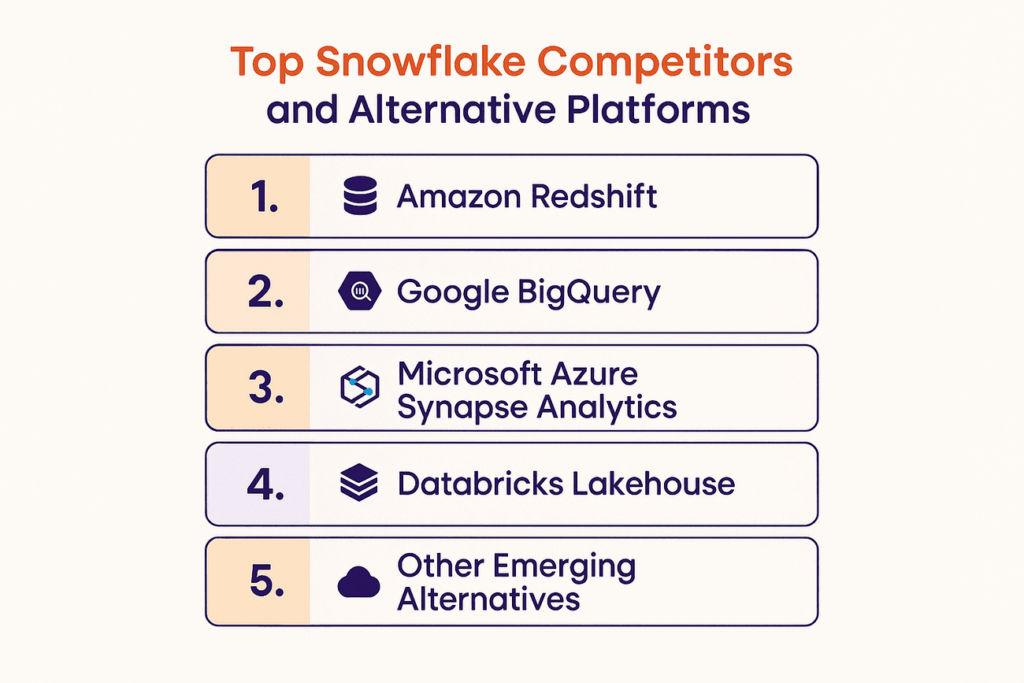
1. Amazon Redshift
Amazon Redshift remains one of the strongest snowflake data platform competitors, especially for organizations already invested in AWS infrastructure and services.
Features & Pricing
Redshift offers two main node types: RA3 (starts at $0.25/hour) and DC2 (starts at $0.25/hour). RA3 nodes separate compute from storage, similar to Snowflake’s architecture. You pay for compute hours and storage separately. Redshift Serverless launched in 2022, providing automatic scaling without manual cluster management. The platform includes built-in machine learning, federated queries, and data lake integration through Redshift Spectrum.
Pros & Cons
Advantages include tight AWS integration, mature ecosystem with extensive tools, predictable pricing for steady workloads, and strong performance for structured data queries. Limitations involve being locked to AWS infrastructure, requiring more manual optimization than Snowflake, longer setup time for optimal configuration, and less intuitive scaling compared to newer platforms. Maintenance windows can cause brief downtime during upgrades.
Organizations evaluating Redshift alongside Snowflake data mesh architecture may find Redshift excels for structured queries but lacks the native data sharing and governance flexibility of a mesh approach.
Use Cases
Redshift works well for AWS-native data warehouses, business intelligence reporting, ETL processing pipelines, log analytics at scale, and companies with predictable query patterns. Organizations running most infrastructure on AWS find the integration benefits compelling. The platform handles structured data exceptionally well and supports complex joins across large tables.
Best for & Not Ideal for
Best for organizations committed to AWS, teams with database optimization expertise, predictable workloads with consistent resource needs, and budgets requiring cost control. Not ideal for multi-cloud strategies, teams wanting minimal maintenance overhead, highly variable workloads with unpredictable spikes, or organizations prioritizing ease of use over control.
Amazon Redshift vs Snowflake
| Feature | Amazon Redshift | Snowflake |
| Architecture | Cluster-based (shared storage optional) | Fully separated storage and compute |
| Scaling | Manual or automatic (Serverless) | Automatic and instant |
| Pricing Model | Hourly node pricing + storage | Per-second compute + storage |
| Multi-Cloud | AWS only | AWS, Azure, GCP |
| Setup Complexity | Moderate (requires tuning) | Low (minimal configuration) |
2. Google BigQuery
Google BigQuery stands out among alternatives to snowflake with its serverless architecture and pay-per-query pricing model that appeals to organizations with variable workloads.
Features & Pricing
BigQuery charges $5 per TB of data queried, with the first 1TB free monthly. Storage costs $0.02 per GB for active data and $0.01 per GB for long-term storage. The serverless model means no infrastructure management. Built-in machine learning lets you create and run ML models using SQL. BigQuery Omni extends queries across AWS and Azure, though with limitations. Real-time analytics through streaming inserts handles millions of rows per second.
Pros & Cons
Strengths include true serverless operation with zero infrastructure management, excellent performance on large datasets, seamless integration with Google Cloud services, built-in machine learning capabilities, and automatic backup and disaster recovery. Weaknesses cover costs that can escalate quickly with large queries, less control over query optimization, limited to GCP ecosystem primarily, and fewer third-party tool integrations than Snowflake or Redshift.
Use Cases
BigQuery excels at ad-hoc analytics on massive datasets, real-time streaming analytics, machine learning model training, IoT data processing, and log analysis. Companies comparing BigQuery and Snowflake often note that unpredictable query volumes benefit from BigQuery’s pay-per-query model, where teams pay only for what they use. The platform handles semi-structured JSON and array data naturally, making it suitable for modern application analytics.
Best for & Not Ideal for
Best for Google Cloud users, organizations with sporadic analytics needs, teams running ML workloads, and data science teams requiring built-in ML capabilities. Not ideal for companies requiring multi-cloud flexibility, applications needing consistent query performance guarantees, budgets requiring precise cost prediction, or teams wanting granular control over query execution.
Google BigQuery vs Snowflake
| Feature | Google BigQuery | Snowflake |
| Architecture | Serverless | Virtual warehouses |
| Pricing Model | Pay-per-query ($5/TB) | Per-second compute credits |
| Storage-Compute | Fully separated | Fully separated |
| ML Capabilities | Built-in (BigQuery ML) | Partner integrations |
| Setup | Zero infrastructure | Minimal configuration |
3. Microsoft Azure Synapse Analytics
Azure Synapse Analytics competes as one of the leading companies like Snowflake by combining data warehousing with big data processing in a unified platform.
Features & Pricing
Synapse offers dedicated SQL pools starting at $1.20/hour for 100 DWU and serverless SQL pools charging $5 per TB processed. Apache Spark pools provide big data processing capabilities. The platform unifies data warehousing, big data analytics, and data integration in one service. Power BI integration provides native reporting capabilities. Data Explorer supports fast time-series analytics. Synapse Studio offers a single workspace for all analytics tasks.
Pros & Cons
Advantages include unified analytics eliminating separate tools, seamless Azure ecosystem integration, flexible compute options (dedicated or serverless), strong enterprise security features, and native Power BI connectivity. Disadvantages involve complexity for teams new to Azure, steeper learning curve than Snowflake, limited multi-cloud support, potential for vendor lock-in, and requiring careful resource management to control costs, especially when comparing Snowflake pricing and usage patterns.
Use Cases
Synapse works well for enterprise data warehousing on Azure, unified data and analytics platforms, real-time and batch analytics, data lake exploration, and organizations using Microsoft’s analytics stack. The platform suits companies wanting to consolidate multiple analytics tools. Integration with Azure AI services enables advanced analytics scenarios without additional platforms.
Best for & Not Ideal for
Best for Azure-committed organizations, enterprises wanting unified analytics, teams using Microsoft tools extensively, and companies with mixed workload types (batch and streaming). Not ideal for multi-cloud requirements, teams wanting simplicity over features, organizations outside Microsoft ecosystem, or projects requiring quick setup and deployment.
Microsoft Azure Synapse vs Snowflake
| Feature | Azure Synapse | Snowflake |
| Architecture | Unified analytics platform | Pure data warehouse |
| Pricing | Dedicated or serverless options | Per-second compute |
| Big Data Processing | Native Apache Spark | Partner integrations |
| BI Integration | Native Power BI | Multiple BI tools |
| Cloud Support | Azure only | AWS, Azure, GCP |
4. Databricks Lakehouse
Databricks represents the snowflake competition from a different angle, focusing on unifying data lakes and warehouses with strong AI and machine learning capabilities.
Features & Pricing
Databricks charges based on Databricks Units (DBU), ranging from $0.07 to $0.55 per DBU-hour depending on workload type. You also pay for underlying cloud infrastructure. The lakehouse architecture combines data lake flexibility with warehouse performance. Delta Lake provides ACID transactions on data lakes. Unity Catalog offers unified governance across all data assets. Native integration with popular ML frameworks accelerates model development and deployment.
Pros & Cons
Strengths include excellent AI and ML workflow support, lakehouse architecture reducing data duplication, strong support for unstructured data, collaborative notebooks for data teams, and true multi-cloud portability. Weaknesses cover more complex pricing structure, steeper learning curve for traditional BI users, requiring more technical expertise than Snowflake, and potentially higher costs for simple BI workloads not involving ML.
Use Cases
Databricks shines for AI and machine learning pipelines, real-time data processing, streaming analytics, data science collaboration, and organizations building data-intensive applications. Teams comparing Snowflake and Databricks often find Databricks more suitable when working with diverse data types and advanced feature engineering. Companies doing heavy model training and experimentation find Databricks particularly valuable. The collaborative environment supports data scientists, engineers, and analysts working together.
Best for & Not Ideal for
Best for data science-focused organizations, companies building AI applications, teams working with diverse data types, and organizations wanting lakehouse architecture. Not ideal for traditional BI-only workloads, teams without data science capabilities, organizations wanting simple SQL-based analytics, or budgets requiring straightforward pricing models.
Databricks vs Snowflake
| Feature | Databricks | Snowflake |
| Primary Focus | AI/ML and lakehouse | Data warehousing |
| Architecture | Lakehouse (unified) | Warehouse-centric |
| Pricing | DBU-based + infrastructure | Credit-based |
| Data Science | Native and extensive | Partner integrations |
| Unstructured Data | Excellent support | Limited native support |
5. Other Emerging Alternatives
Several newer platforms are challenging established competitors of snowflake with innovative approaches to data warehousing and analytics performance.
Firebolt, Starburst, etc.
Firebolt focuses on extreme query performance through aggressive indexing and caching strategies. Their pricing starts around $1 per compute hour with volume discounts. Starburst enables data federation across multiple sources without moving data, starting at $0.50 per compute hour. ClickHouse offers open-source columnar databases exceptional for real-time analytics. Dremio provides a data lakehouse platform with semantic layer capabilities for self-service analytics.
Quick Comparison
These platforms typically offer lower costs than Snowflake for specific use cases. Firebolt excels at sub-second query performance on large datasets. Starburst shines when querying data across multiple systems. ClickHouse handles high-volume event data exceptionally well. Dremio simplifies data access for business users through virtual datasets and acceleration, while some organizations still prefer Snowflake features for its multi-cloud support, data sharing, and native integrations.
How to Choose the Right Snowflake Alternative
Selecting the right platform requires careful evaluation of your specific needs rather than choosing based on popularity or marketing claims. The best choice depends on your unique situation. Let’s explore the key factors that should guide your decision.
1. Performance & Scalability
Evaluate how each platform handles your expected data volumes and query complexity. Test with realistic workloads, not vendor benchmarks. Consider both current needs and growth projections. Look at how quickly platforms scale up and down. Examine whether performance remains consistent as data grows. Check if the platform handles your specific query patterns efficiently.
2. Cost Efficiency
Compare total cost of ownership, not just list prices. Factor in storage, compute, data transfer, and support costs. Consider whether pricing aligns with your usage patterns. Evaluate if unpredictable costs could create budget issues. Look at commitment discounts versus on-demand flexibility. Calculate costs for your actual query volumes and data sizes rather than theoretical scenarios.
3. Data Security & Compliance
Review security certifications relevant to your industry (HIPAA, SOC 2, GDPR, etc.). Examine encryption options for data at rest and in transit. Check access control granularity and audit capabilities. Evaluate compliance with your specific regulatory requirements, including Snowflake HIPAA compliance for handling sensitive healthcare data. Consider data residency requirements and regional availability. Assess whether security features align with your organizational policies.
4. Integration & Ecosystem Support
Check compatibility with your existing tools for ETL, BI, and data science. Evaluate API capabilities for custom integrations. Review partner ecosystem maturity and breadth. Consider whether the platform works with your preferred programming languages. Examine data ingestion options from your current sources. Look at available connectors for your essential tools.
5. User-Friendliness & Support
Assess the learning curve for your team’s skill level. Review documentation quality and completeness. Check community size and activity for troubleshooting help. Evaluate support options and response times. Consider whether the platform matches your team’s technical expertise. Look at training resources and costs for getting your team productive.
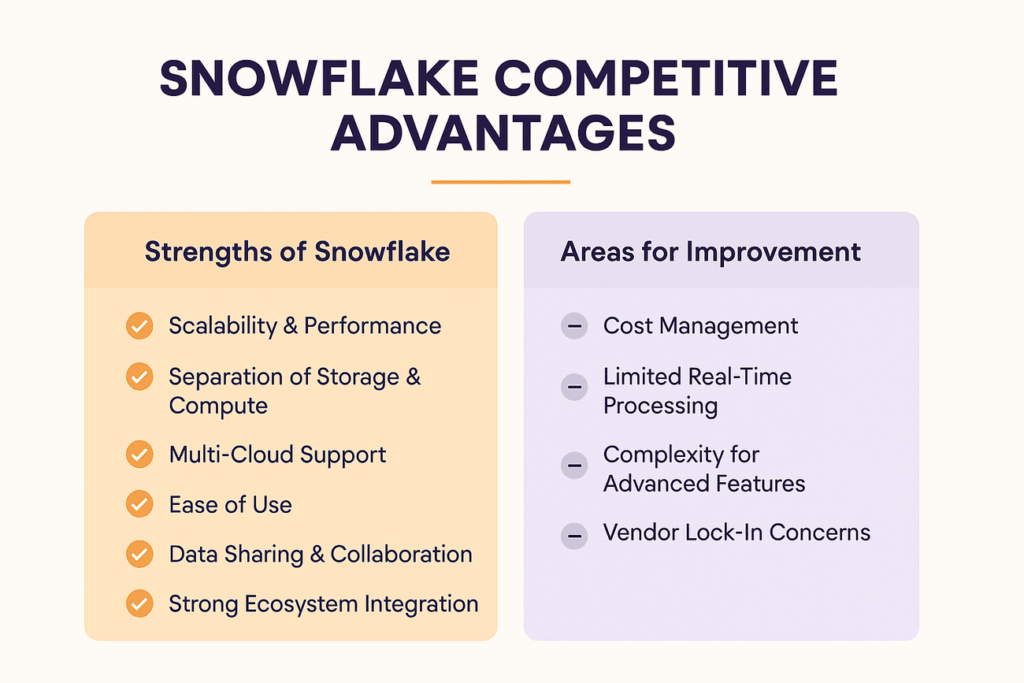
Snowflake Competitive Advantages: Strengths & Areas for Improvement
Understanding what makes Snowflake successful and where it falls short helps you evaluate whether alternatives truly serve your needs better. Every platform involves tradeoffs between features, complexity, and costs.
Strengths of Snowflake
1. Scalability & Performance
Snowflake automatically scales compute resources based on workload demands without manual intervention. The platform handles sudden spikes in concurrent users smoothly. Query performance remains consistent even as data volumes grow. The separation of storage and compute allows independent scaling of each. Multiple virtual warehouses can run simultaneously without resource contention.
2. Separation of Storage & Compute
This architecture lets you pause compute when not in use while keeping data accessible. You can run different workloads with appropriately sized compute resources. Storage costs remain low and independent of compute usage. The design eliminates the tradeoff between query performance and cost. You only pay for compute resources when actually processing queries.
3. Multi-Cloud Support
Snowflake runs natively on AWS, Azure, and Google Cloud Platform. Data sharing works seamlessly across different cloud providers. Organizations can choose cloud providers per region based on business needs. The consistent experience across clouds simplifies multi-cloud strategies. Avoiding cloud vendor lock-in provides long-term flexibility and negotiating leverage.
4. Ease of Use
The platform requires minimal setup and tuning compared to traditional databases. Automatic optimization handles most performance tuning. SQL-based interface feels familiar to database professionals. Near-zero maintenance reduces administrative overhead. New users become productive quickly without extensive training.
5. Data Sharing & Collaboration
Secure data sharing enables collaboration without copying data or managing access. External parties can query your data without ingestion delays. The Data Marketplace connects providers and consumers easily. Real-time updates mean shared data stays current automatically. Governance controls maintain security while enabling sharing.
6. Strong Ecosystem Integration
Extensive connectors support popular ETL, BI, and analytics tools, including native Snowflake connectors that simplify data movement and integration. The partner network includes major technology vendors across categories. APIs enable custom integrations for specialized needs. A growing community provides resources and shared knowledge. Regular updates add new integrations without breaking existing ones.
Areas for Improvement
1. Cost Management
Compute costs can escalate quickly without careful monitoring and controls. According to Flexera’s 2024 State of the Cloud Report, managing cloud spending remains the top challenge for organizations for the second year in a row. The credit-based pricing model requires understanding to optimize. Idle warehouses can consume credits unnecessarily if not suspended. Multiple concurrent workloads multiply costs faster than expected. Organizations pursuing data modernization with Snowflake should implement robust monitoring to prevent surprise bills.
2. Limited Real-Time Processing
Snowflake handles batch processing excellently but lacks native streaming capabilities. Near real-time analytics require external tools like Kafka or streaming platforms. Latency exists between data arrival and query availability. True millisecond-level analytics need supplementary solutions. Organizations requiring real-time decision-making may need additional platforms.
3. Complexity for Advanced Features
Sophisticated features like data sharing and cloning require learning new concepts. Optimal performance sometimes needs understanding execution plans and query optimization. Setting up proper governance requires planning and configuration effort. Advanced security features involve multiple components working together. The learning curve increases when moving beyond basic SQL queries.
4. Vendor Lock-In Concerns
Despite multi-cloud support, migrating away from Snowflake involves significant effort. Proprietary features create dependencies that complicate platform changes. Data export for large volumes can be time-consuming and costly. Custom integrations and workflows require rebuilding on new platforms. Organizations should consider long-term commitments carefully before deep integration.
Migrating from Snowflake to an Alternative: What to Know
Moving from Snowflake to another platform requires careful planning and execution to avoid data loss, downtime, or unexpected complications during the transition process.
1. Assess Current Snowflake Setup
Document all databases, schemas, tables, views, and stored procedures. Inventory all data pipelines feeding into Snowflake. List all applications and tools querying Snowflake. Identify users and their access permissions across objects. Catalog custom code and integrations requiring migration. Understanding your current state prevents surprises during migration.
2. Compare Alternative Platforms
Test candidate platforms with representative workloads and data samples. Verify that required features exist or have acceptable alternatives. Check performance with your actual query patterns and data volumes. Confirm cost projections with realistic usage scenarios. Evaluate whether your team can manage the new platform effectively. Proof of concept testing reveals issues before full commitment.
3. Plan Migration Strategy
Decide between big bang migration or phased approach. Determine acceptable downtime or if zero-downtime is required. Plan for parallel running of old and new systems during transition. Identify critical workloads requiring priority migration. Schedule migration during low-usage periods if possible. Create rollback plans for handling unexpected problems.
4. Handle Data Migration
Choose appropriate data transfer methods based on volume and urgency. Consider tools like cloud provider import services, third-party solutions, or Snowflake Document AI for extracting structured information during migration. Plan for incremental loads to catch ongoing changes. Validate data integrity after transfer using checksums or sampling. Test that all data types transferred correctly without corruption. Large migrations may take days or weeks depending on volume.
5. Test and Validate Data
Compare row counts between source and destination systems. Run validation queries to check data accuracy and completeness. Test critical reports and dashboards with migrated data. Verify that calculations and aggregations produce identical results. Involve business users in validation to catch functional issues. Thorough testing prevents discovering problems after go-live.
6. Optimize Post-Migration Workflows
Tune queries for the new platform’s performance characteristics. Adjust data pipelines to leverage new platform capabilities. Update documentation to reflect new architecture and processes. Train users on any interface or functionality differences. Monitor performance and costs closely during initial weeks. Optimization continues beyond the initial migration completion.
7. Address Potential Migration Challenges
Plan for schema incompatibilities between platforms requiring code changes. Handle proprietary Snowflake features lacking direct equivalents in the target platform. Manage the learning curve for teams adjusting to new tools. Coordinate with application owners dependent on your data warehouse. Communicate clearly with stakeholders about timeline and potential disruptions. A snowflake consulting partner can help anticipate issues and provide actionable solutions, reducing risks during migration.
FAQs
What Are the Top Alternatives to Snowflake for Cloud Data Warehousing?
The leading alternatives include Amazon Redshift for AWS users, Google BigQuery for serverless analytics, Azure Synapse Analytics for Microsoft ecosystems, and Databricks for AI-focused workloads. Each platform offers unique strengths depending on your cloud provider preference and specific use cases.
How Does Snowflake Compare to Amazon Redshift, Google BigQuery, and Azure Synapse?
Snowflake excels at multi-cloud support and ease of use while Redshift offers better AWS integration, BigQuery provides serverless simplicity with pay-per-query pricing, and Synapse delivers unified analytics across Microsoft tools. Performance and costs vary based on workload characteristics and usage patterns.
What Are the Key Advantages of Snowflake Over Its Competitors?
Snowflake’s main advantages include true multi-cloud portability, automatic scaling without manual intervention, near-zero maintenance requirements, simple data sharing capabilities, and consistent performance across different workload types. The platform requires less tuning than traditional data warehouses.
What Limitations or Drawbacks Does Snowflake Have Compared to Other Platforms?
Snowflake’s costs can grow quickly without careful monitoring, lacks native real-time streaming capabilities, offers less control than traditional databases, and creates vendor dependency despite multi-cloud support. Some organizations find better value with cloud-native alternatives from their primary provider.
Which Snowflake Alternative Is Best for Large-Scale Enterprise Analytics?
For large enterprises, Azure Synapse works well for Microsoft-centric organizations, Amazon Redshift suits AWS environments, and Databricks excels when AI and machine learning are priorities. The best choice depends on existing infrastructure, team expertise, and specific analytical requirements.
Is Snowflake More Cost-Effective Than Its Main Competitors?
Cost-effectiveness depends on usage patterns. Snowflake can be more expensive for steady workloads where reserved capacity pricing from Redshift or BigQuery saves money. For variable workloads with frequent scaling, Snowflake’s per-second billing may cost less than competitors requiring fixed capacity.
Can Snowflake Competitors Support Multi-Cloud Strategies Like Snowflake?
Databricks offers genuine multi-cloud support across AWS, Azure, and GCP. Google BigQuery Omni provides limited cross-cloud querying. Amazon Redshift and Azure Synapse remain single-cloud solutions. Most competitors lack Snowflake’s seamless multi-cloud data sharing capabilities.
Which Platforms Offer Better Real-Time Analytics Compared to Snowflake?
Databricks provides stronger real-time processing through Apache Spark streaming. ClickHouse excels at sub-second analytics on streaming data. Firebolt delivers faster query performance for real-time dashboards. BigQuery handles streaming inserts well for near real-time analytics needs.
How Easy Is It to Migrate from Snowflake to Another Cloud Data Platform?
Migration complexity depends on how deeply you’ve integrated Snowflake-specific features. Basic SQL workloads migrate relatively easily, while data sharing, cloning, and time travel features require rebuilding. Expect 3-6 months for comprehensive migrations including testing and validation.
What BI and Analytics Tools Integrate Seamlessly with Snowflake Competitors?
Most major BI tools including Tableau, Power BI, Looker, and Qlik connect to all major platforms. Cloud-native solutions integrate best with their provider’s tools: Power BI with Synapse, Looker with BigQuery, and QuickSight with Redshift.
Conclusion
Choosing between Snowflake and its competitors requires evaluating your specific needs around cloud strategy, budget, technical expertise, and workload characteristics. While Snowflake excels at multi-cloud flexibility and ease of use, alternatives like Redshift, BigQuery, Azure Synapse, and Databricks offer compelling advantages for organizations committed to specific cloud ecosystems or requiring specialized capabilities. The right platform balances performance, cost, and functionality for your unique situation.
Folio3 Data Services helps organizations navigate complex cloud data platform decisions and implementations. Our team brings deep expertise across Snowflake, AWS, Azure, and Google Cloud platforms, with proven experience in data warehouse migrations, performance optimization, and cost management. Whether you’re evaluating alternatives to Snowflake or optimizing your current platform, we provide strategic guidance and hands-on implementation support.