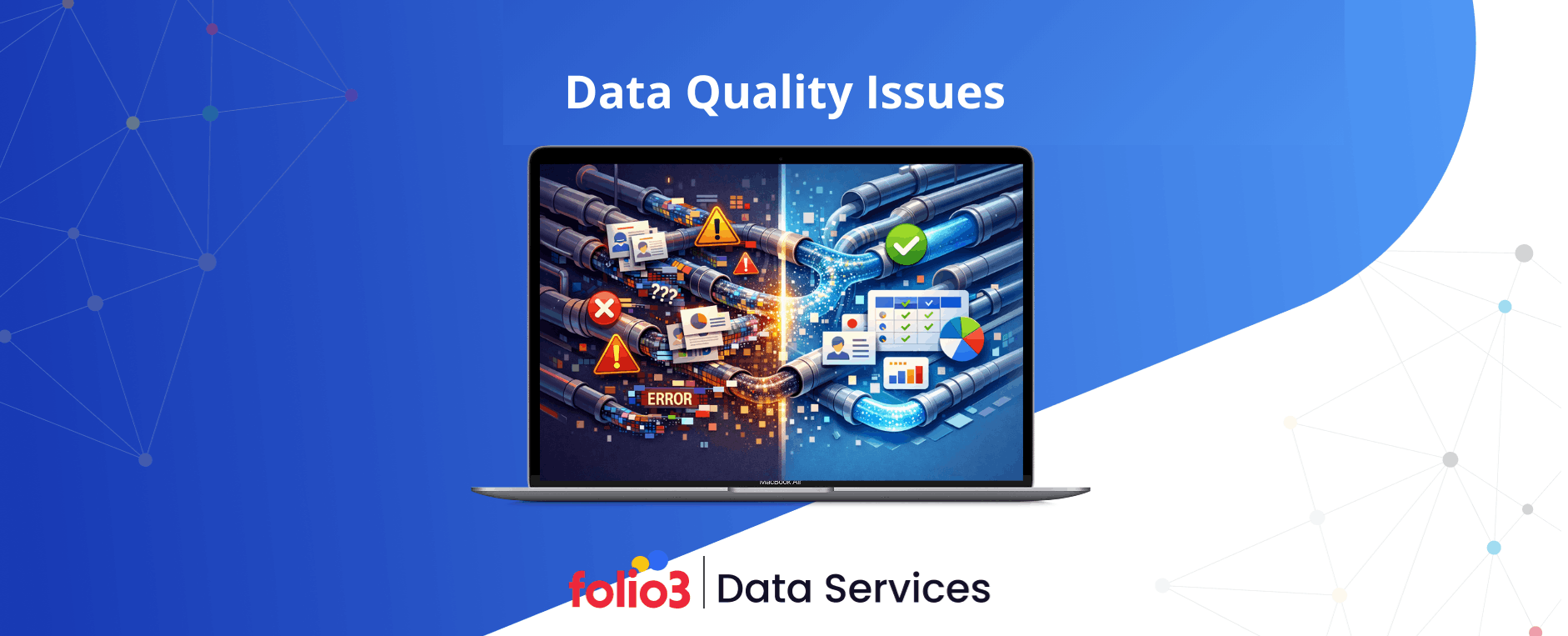

Every single day, businesses create massive amounts of information. But if that information is wrong, it can lead to very expensive mistakes. Research shows that poor data quality costs organizations an average of $12.9 million every year according to Gartner. When leaders make choices based on messy or old records, they risk losing money and trust. Data quality issues occur when information is missing, wrong, or stored in ways that make it hard to use.
A study by the Harvard Business Review found that only 3% of companies meet basic quality standards. This means most businesses are flying blind. Fixing these problems helps you understand your customers better, save time on manual fixes, and grow your company faster without the fear of hidden errors.
What Are Data Quality Issues?
Data quality problems arise when your information becomes unreliable, incomplete, or unsuitable for business use. Such problems emerge when data doesn’t satisfy the requirements necessary for sound analysis and informed decision-making. It’s comparable to cooking with missing ingredients or incorrect measurements—you won’t achieve the desired outcome.
Low-quality data stems from various sources: mistakes made during manual data entry, malfunctions in automated systems, stale information that remains unrefreshed, or discrepancies that develop when data transfers across different platforms. These challenges send waves through your entire organization, impacting everything from routine operations to long-term strategy.
15 Most Common Types of Data Quality Issues
Every organization faces data quality challenges, but they typically fall into specific categories. Understanding these common types helps you spot problems early and address them systematically. Here are the 15 most frequent data quality problems that businesses encounter.
| Data Quality Issue | How to Handle It |
| Missing or Incomplete Data | Set up mandatory field validation, apply default values when suitable, and create standardized data collection procedures |
| Duplicate Data | Implement deduplication software, generate unique identifiers, and define merge protocols for matching records |
| Inaccurate or Incorrect Data | Establish validation protocols, verify against reliable sources, and create review processes |
| Inconsistent Data Across Systems | Normalize formats, utilize Master Data Management (MDM), and synchronize data consistently across systems |
| Outdated Data | Plan routine data refreshes, automate updates when feasible, and establish data expiration rules |
| Data Format Errors | Apply format standards during entry, leverage data transformation tools, and verify inputs against schemas |
| Data Entry Errors | Provide thorough staff training, replace free text with dropdown menus, and apply double-entry verification |
| Orphaned Data | Preserve referential integrity, configure cascade delete rules, and conduct regular relationship audits |
| Incomplete Transaction Data | Require essential fields, apply transaction validation, and utilize atomic operations |
| Invalid Data | Develop business rule validators, define acceptable value ranges, and establish logic checks |
| Inconsistent Units or Measurements | Unify measurement systems, label units explicitly, and automate conversion to common standards |
| Misclassified Data | Establish distinct categories, offer classification training, and employ AI-assisted categorization tools |
| Redundant Data | Designate a single source of truth, deploy MDM systems, and formulate clear data ownership policies |
| Non-Compliant Data | Adhere to regulatory guidelines, deploy consent management, and perform compliance audits |
| Semantic Inconsistencies | Build business glossaries, record data definitions, and institute data governance frameworks |
1. Missing or Incomplete Data
Empty fields and gaps in records create blind spots in your information. A customer profile without an email address means you can’t send marketing messages. An order form missing a shipping address delays deliveries. These gaps happen when forms don’t require all fields, when data transfers fail to capture everything, or when information simply isn’t available at collection time.
2. Duplicate Data
When the same information appears multiple times in your system, it wastes storage space and confuses analysis. A customer might have three different records with slightly different names or addresses. Your inventory might list the same product twice. Duplicates typically emerge when different teams enter data independently, when systems merge without proper checks, or when users create new records instead of updating existing ones.
3. Inaccurate or Incorrect Data
Wrong information is worse than missing information because it leads to confident but mistaken decisions. Prices might be entered incorrectly, customer birth dates might be typos, or product specifications might contain errors. Research from IBM shows that bad data costs the U.S. economy $3.1 trillion annually. These mistakes stem from human error, outdated sources, or faulty data collection methods.
4. Inconsistent Data Across Systems
Your sales system says a customer’s address is 123 Main St, but your shipping system shows 123 Main Street. Small differences like these cause major headaches when systems try to match records or when reports pull from multiple sources. Inconsistencies grow when different departments use different standards, when data syncs fail, or when systems don’t talk to each other properly.
5. Outdated Data
Yesterday’s facts become today’s mistakes. Customer contacts change jobs, products get discontinued, prices fluctuate, and regulations update. If your data doesn’t keep pace with reality, decisions based on that data will miss the mark. Outdated information accumulates when update processes are manual, when teams don’t maintain records regularly, or when systems lack automated refresh mechanisms.
6. Data Format Errors
Numbers stored as text, dates in different formats, phone numbers with varying structures—these format mismatches break automated processes. One system expects dates as MM/DD/YYYY while another uses DD/MM/YYYY, causing confusion about whether 03/04/2024 means March 4th or April 3rd. Format problems appear when data comes from multiple sources, when standards aren’t enforced, or when systems don’t validate inputs properly.
7. Data Entry Errors
Humans make mistakes when typing information manually. A misplaced decimal point turns $100.00 into $10,000. Transposed digits change phone numbers. Typos create misspelled names and addresses. These errors multiply in high-volume data entry environments where speed takes priority over accuracy, where validation rules are weak, or where staff lack proper training.
8. Orphaned Data
Records that lose their connections to related information become orphaned data. An order without a customer record, a transaction without a product code, or a shipping record without an order number—these disconnected pieces can’t contribute to meaningful analysis. Orphans appear when related records get deleted, when relationships break during migrations, or when integration rules fail.
9. Incomplete Transaction Data
Financial and operational transactions need complete information to be useful. A sale without a payment method, a shipment without tracking numbers, or an invoice without line items creates gaps in your financial picture and operational tracking. Incomplete transactions happen when processes get interrupted, when required fields aren’t enforced, or when systems capture data in stages without completing all steps. Organizations dealing with large volumes of unstructured content, such as emails, PDFs, or support tickets, often need strong unstructured data management to ensure transactional completeness.
10. Invalid Data
Data that violates business rules or logical constraints is invalid. An employee hired before their birth date, a product weight of negative pounds, or a discount percentage over 100%—these impossible values signal data quality problems. Invalid data sneaks in when validation rules are missing, when users bypass controls, or when calculation errors create nonsensical results.
11. Inconsistent Units or Measurements
Mixing pounds with kilograms, dollars with euros, or inches with centimeters without clear labels causes calculation errors and misunderstandings. A global company might have different regions entering measurements in their local units, creating confusion when data gets centralized. These inconsistencies emerge in international operations, when systems merge from different sources, or when standardization policies are absent.
12. Misclassified Data
Putting information in the wrong category undermines analysis and reporting. A support ticket marked as “billing” when it’s really a “technical” issue skews your understanding of customer problems. Products assigned to incorrect categories confuse inventory management. Misclassification happens when category definitions are unclear, when staff lack training, or when automated classification algorithms make mistakes.
13. Redundant Data
Information stored in multiple places without a clear master version creates redundancy. Customer addresses might live in your CRM, your billing system, and your shipping database—which one is correct? Redundancy develops when systems duplicate data for performance reasons, when integration is weak, or when data governance doesn’t establish clear ownership.
14. Non-Compliant Data
Regulations like GDPR, HIPAA, and CCPA set specific requirements for how data must be collected, stored, and protected. Data that violates these rules creates legal risks and potential fines. Non-compliance occurs when collection processes don’t obtain proper consent, when retention periods exceed legal limits, or when security measures fall short of requirements.
15. Semantic Inconsistencies
Different meanings for the same term create confusion. “Revenue” might mean gross revenue in one department but net revenue in another. “Customer” might include prospects in sales but only paying clients in finance. These semantic gaps emerge when teams work in silos, when definitions aren’t documented, or when business glossaries don’t exist.
How to Identify Data Quality Issues
Finding problems in your data requires systematic approaches and the right tools. You can’t fix what you don’t know is broken, so detection comes first in any data quality improvement effort.
1. Data Profiling Techniques
Data profiling examines your datasets to understand their structure, content, and relationships. It reveals patterns, anomalies, and potential issues without requiring you to manually review every record. Profiling tools scan for missing values, identify duplicates, flag outliers, and generate statistics about data completeness and consistency across your entire database.
2. Auditing and Validation Methods
Regular audits compare your data against established rules and standards. Validation checks confirm that data meets specified criteria before it enters your systems. Sample checks of recent entries, cross-referencing against known good sources, and testing data against business rules all help catch problems. Manual spot checks combined with automated validation rules create layers of quality assurance.
3. Analytics Tools Monitoring
Your business intelligence and analytics platforms often surface data quality issues during normal use. Reports that don’t add up correctly, visualizations with unexpected gaps, or queries that return strange results all signal underlying data problems. Monitoring error logs, tracking data pipeline failures, and reviewing user feedback about report accuracy provides ongoing quality signals. Big data platforms can help handle larger datasets, integrate diverse sources, and provide advanced analytics to uncover hidden anomalies that smaller systems might miss.
4. Key Quality Metrics
Measuring specific dimensions of data quality helps you track improvements over time. Accuracy rates show how often data matches reality. Completeness percentages reveal how many required fields are filled. Consistency scores indicate how well data aligns across systems. Timeliness metrics track how current your data is. Tracking these numbers monthly or quarterly reveals trends and validates the impact of quality initiatives. Organizations with access to custom data engineering expertise can also design metrics tailored to their unique data environment, uncovering issues standard tools might miss.
Tackling Data Quality Issues: Step-by-Step Solutions
Solving data quality problems requires a structured approach that addresses both existing issues and prevents new ones. These five steps create a foundation for lasting improvement.

Step 1: Data Cleaning and Standardization
Start by fixing what’s already broken. Remove duplicates through deduplication processes that identify and merge similar records. Fill in missing values where possible using reliable sources or business rules. Correct obvious errors like impossible dates or invalid formats. Standardize formats so dates, phone numbers, and addresses follow consistent patterns. This cleanup work provides a clean foundation for ongoing quality efforts.
Step 2: Implement Governance Policies
Create clear rules about who owns different data domains, who can change what, and how changes should be made. Define data standards that specify formats, naming conventions, and acceptable values. Document definitions for key business terms so everyone uses the same language. Establish approval workflows for significant data changes. These policies bring order and accountability to data management.
Step 3: Automate Validation and Monitoring
Build validation rules directly into your systems to catch errors at the source. Set up automated alerts that notify responsible parties when quality metrics drop below thresholds. Schedule regular quality checks that run automatically and flag issues for review. Automation catches problems faster than manual reviews and enforces standards consistently without requiring constant human attention.
Step 4: Staff Data Entry Training
People who enter data need to understand why quality matters and how to maintain it. Train staff on correct procedures, common mistakes to avoid, and how to use validation tools built into your systems. Share examples of how poor data quality affected business outcomes to make the importance concrete. Regular refresher training keeps quality top of mind.
Step 5: Use MDM Systems
Master Data Management platforms create a single, authoritative source for critical data like customers, products, and suppliers. MDM systems handle deduplication, standardization, and synchronization across your organization. They establish data stewardship workflows and maintain history of changes. By integrating data management using AI, MDM systems can proactively detect anomalies, suggest corrections, and maintain consistent, high-quality records across your enterprise.
5 Best Practices to Prevent Data Quality Issues
Prevention is more effective than correction. These practices help you avoid quality problems before they start affecting your business operations and decisions.
1. Clear Data Ownership
Assign specific people or teams responsibility for different data domains. A designated data steward for customer information, another for product data, and others for financial records creates accountability. Owners monitor quality in their domains, resolve issues, and ensure standards are followed. When everyone owns data quality, nobody really does—clear ownership ensures someone always watches each critical area.
2. Ongoing Quality Monitoring
Data quality isn’t a one-time project but an ongoing discipline. Set up dashboards that show quality metrics in real time. Review quality reports weekly or monthly in team meetings. Track quality trends to spot deteriorating areas before they become crises. Continuous monitoring catches small problems before they grow into major headaches.
3. Regular Updates and Audits
Schedule systematic reviews of your data at regular intervals. Quarterly audits identify issues that slip through daily monitoring. Regular cleanup campaigns address accumulated problems. Periodic validation against external sources confirms accuracy. Annual reviews of data governance policies keep rules current with changing business needs. Scheduled maintenance prevents quality from gradually declining through neglect.
4. Reliable Data Integration
When data moves between systems, quality often suffers. Build robust integration processes that validate data during transfers, handle errors gracefully, and maintain audit trails. Use ETL (Extract, Transform, Load) tools that include quality checks rather than simple data dumps. This is especially important when combining structured sources with AI data extraction from documents, emails, or other unstructured inputs, where errors can easily propagate if not validated early. Test integration processes thoroughly before deployment and monitor them continuously after going live.
5. AI-Powered Quality Tools
Modern machine learning tools can spot quality issues that rule-based systems miss. AI can identify subtle patterns suggesting duplicate records even when fields don’t match exactly. Anomaly detection algorithms flag unusual values that might indicate errors. Natural language processing helps standardize unstructured text data. These technologies augment human oversight with pattern recognition at scale.
Tools for Managing Data Quality
The right software makes data quality management scalable and sustainable. Different types of tools address different aspects of the quality challenge, and most organizations use combinations of these tools.
1. Data Quality Software: Talend, Informatica, Ataccama
Comprehensive data quality platforms provide end-to-end capabilities for profiling, cleansing, monitoring, and governance. Talend offers open-source and commercial tools for data integration with built-in quality features. Informatica provides enterprise-grade quality management with AI-powered matching and standardization. Ataccama combines quality, governance, and MDM in a unified platform. These tools handle complex quality challenges across large organizations with multiple data sources.
2. Data Cleansing Tools: Trifacta, OpenRefine, Data Ladder
Specialized cleansing tools focus on preparing and cleaning datasets for analysis. Trifacta uses visual interfaces to help users profile and transform data without coding. OpenRefine is an open-source tool particularly strong at cleaning messy data and reconciling against external sources. Data Ladder excels at matching and deduplicating records using advanced algorithms. These tools work well for specific cleanup projects and data preparation tasks.
3. Data Governance Platforms: Collibra, Alation, OvalEdge
Governance platforms help organizations establish and enforce data policies, manage metadata, and maintain data catalogs. Collibra provides comprehensive governance capabilities including data stewardship workflows and policy management. Alation focuses on data cataloging and helping users discover and understand data assets. OvalEdge offers governance capabilities with strong integration to data quality tools. These platforms are essential when building a data governance strategy, as they provide the oversight, control structures, and workflow automation needed for enterprise-wide consistency and compliance.
Data Quality Case Studies: Real Examples
Learning from others’ experiences—both failures and successes—helps illustrate why data quality matters and how to address it effectively.
1. Unity Technologies Loss
Unity Technologies faced significant revenue recognition problems due to poor advertising data quality. Inaccurate customer usage data and advertising metrics led to financial challenges and operational restructuring, damaging investor confidence. The company responded by implementing stricter data validation processes and automated quality checks. The lesson: when data quality affects financial reporting, the consequences extend to regulatory compliance and market perception. Unity’s experience shows that validating data at the source, especially customer and transaction data, is not optional for public companies.
2. Global Fashion Retailer Fix
A major international fashion retailer struggled with fragmented product data across regional systems using different naming conventions and measurements. According to Gartner research, poor data quality costs organizations an average of $12.9 million annually. Inventory counts didn’t match between warehouses and online systems. The company implemented automated validation rules and standardized product taxonomies through a master data management system. Within 18 months, inventory accuracy improved by 35%, stockouts decreased by 28%, and product launch times dropped by 40%. The investment delivered measurable ROI through better inventory turnover and reduced waste.
3. Walmart Inventory Optimization
Walmart recognized that inconsistent product data across thousands of suppliers created inefficiencies in inventory management and demand forecasting. According to research on Walmart’s Retail Link system, they implemented a centralized master data management approach requiring suppliers to provide standardized product information. Automated validation checked incoming data for completeness and accuracy. The result was improved forecast accuracy, reduced out-of-stock situations, and better inventory turnover. Walmart’s success demonstrates how clean, centralized data becomes a competitive advantage when supply chain efficiency directly impacts profitability.
FAQs
What Are the Most Common Data Quality Issues?
The most frequent problems include duplicate records, missing or incomplete information, inaccurate values, inconsistent data across systems, and outdated information. Data format errors and manual entry mistakes also rank high on the list.
How Do Data Quality Problems Affect Business Decisions?
Poor data quality leads to wrong conclusions, misguided strategies, and wasted resources. When your information is inaccurate, you might target the wrong customers, order incorrect inventory quantities, or miss real opportunities while chasing false signals.
Can Data Quality Issues Be Prevented Completely?
Complete prevention is unrealistic, but you can minimize problems significantly through good governance, automated validation, regular monitoring, and proper training. The goal is catching and fixing issues quickly before they cause serious problems.
What Is the Difference Between Data Quality and Data Integrity?
Data quality measures how well data serves its intended purpose—accuracy, completeness, and consistency. Data integrity ensures data remains unchanged and trustworthy throughout its lifecycle, protecting against corruption or unauthorized changes. Quality focuses on correctness; integrity focuses on protection.
How Do I Measure Data Quality?
Track metrics like accuracy rates (percentage of correct values), completeness (percentage of filled required fields), consistency (alignment across systems), timeliness (how current the data is), and validity (conformance to rules). Set baselines and measure improvements over time.
Which Tools Are Best for Fixing Data Quality Issues?
The best choice depends on your specific needs and scale. Enterprise platforms like Informatica and Talend work well for large organizations with complex needs. Smaller teams might start with tools like OpenRefine or built-in database validation features.
Can Automation Help Reduce Data Quality Issues?
Automation dramatically reduces quality problems by validating data at entry points, running scheduled quality checks, standardizing formats consistently, and alerting teams to issues immediately. Automated processes eliminate human error in repetitive quality tasks.
Is Data Quality Management a One-Time Process or Ongoing?
Data quality requires ongoing attention, not one-time fixes. Data constantly changes, new sources get added, and systems evolve. Continuous monitoring, regular audits, and sustained governance keep quality high over time.
Conclusion
Managing data quality issues is no longer just a task for the IT department; it is a vital part of staying competitive in the modern world. When your information is clean, your marketing is sharper, your customers are happier, and your profits are more predictable. By identifying data quality problems early and using the right steps to fix them, you turn a messy pile of “bad data” into a powerful engine for growth.
Folio3 Data Services helps companies solve these complex problems by providing expert guidance and high quality data solutions. Our team focuses on cleaning, organizing, and managing your information so you can focus on running your business. Whether you are dealing with poor quality data or need a better way to track your progress, we provide the tools and people to make your data work for you.