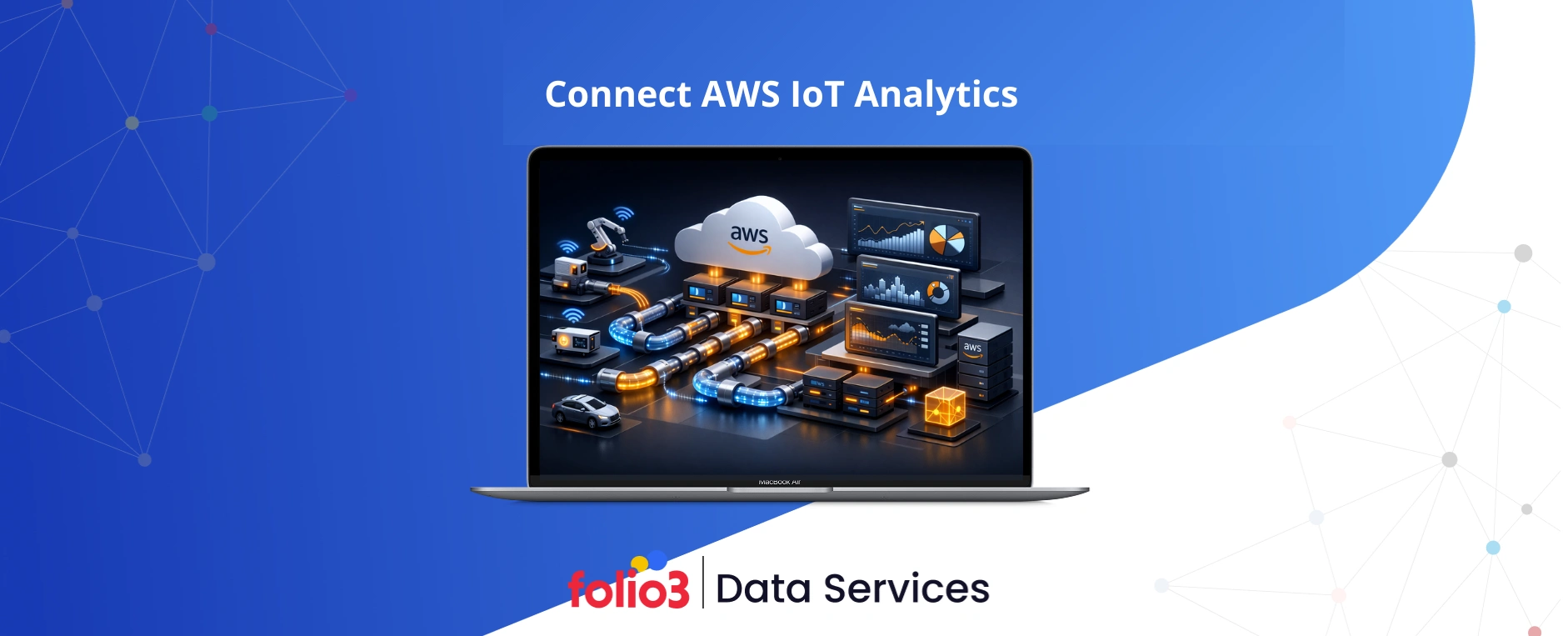

Connecting AWS IoT Analytics in 2026 involves more than plumbing data; it’s about establishing a secure and governed pipeline that efficiently channels device telemetry into analytics-ready stores. This guide walks you through the process from secure device onboarding through channels, pipelines, and datasets to dashboards and machine learning exploration. We follow a channel–pipeline–datastore–dataset pattern that scales effectively from proofs of concept to fleets of thousands. AWS IoT can securely connect billions of devices and process trillions of messages, establishing a robust foundation for enterprise IoT analytics when implemented with least privilege and strong identity controls (see AWS IoT services overview). If you’re looking to connect AWS IoT Analytics, the short answer is: register devices in IoT Core, route MQTT topics into an IoT Analytics channel via a rule, process data in a pipeline, store it in a datastore, and analyze it with datasets, notebooks, and business intelligence.
Prepare AWS Environment and Device Credentials
Before any data flows, it’s critical to set the foundation right for real-time data integration. Proper planning ensures secure, reliable ingestion from devices into your analytics pipelines.
- An AWS account with scoped IAM roles/policies granting only the access that IoT Core and IoT Analytics require (least privilege).
- Device SDKs for your platform to accelerate secure messaging and MQTT integration; AWS provides open-source libraries and samples in its device SDK tutorials.
- A device identity strategy utilizing per-device X.509 certificates or JWTs. X.509 certificates are digital certificates that authenticate devices to AWS IoT Core and establish secure TLS sessions.
Utilize mutual TLS (mTLS) with TLS 1.2 or higher—preferably TLS 1.3 where supported by device firmware and endpoints—for end-to-end encryption and device authentication. Download and embed the Amazon Root CA in your firmware to validate AWS endpoints, and implement certificate rotation with short lifetimes and automated renewal. AWS’s security model focuses on per-device certificates, IoT policies, and audited connectivity, as outlined in the AWS IoT Core security model.
Tip for scale: define how certificates are issued, stored, and rotated early. Hardware-backed keys (TPM/SE), immutable device identifiers, and automated manufacturing enrollment will save time and reduce risk.
Register IoT Devices and Configure IAM Policies
Each device should be registered as a Thing in the IoT Core registry with its own certificate and IoT policy:
- Create a Thing and provision a unique X.509 certificate per device; attach the certificate to the Thing and activate it.
- Attach a least-privilege IoT policy that grants only the actions required (publish/subscribe on specific topics and any rule triggers used by IoT Analytics).
- Utilize Just-In-Time Registration (JITR) or similar fleet provisioning patterns to onboard devices at scale as certificates are presented at first connection.
- Keep IAM policies for backend services separate from IoT policies to enforce clear security boundaries.
Illustrative IoT policy structure for a temperature sensor fleet:
- Effect: Allow
- Actions: iot:Publish (and optionally iot:Subscribe/iot:Receive if the device listens)
- Resources (ARNs): specific MQTT topics such as arn:aws:iot:region:account:topic/sensors/${iot:Connection.Thing.ThingName}/data
- Conditions: optionally restrict by client certificate or Thing attributes for multi-tenant isolation
This design confines each device to its own topic space while maintaining auditable entitlements.
Create AWS IoT Analytics Channel for Data Ingestion
An AWS IoT Analytics channel represents the managed input that ingests raw MQTT or device data and buffers it in service-managed Amazon S3 for temporary retention. Channels simplify capture at scale without custom ETL or storage code, and many teams start with a 30-day raw retention period before compaction and archival, as noted in the 2026 IoT Analytics guide.
Create a channel in the console (IoT Analytics > Channels > Create) or via CLI (aws iotanalytics create-channel –channel-name <name> –retention-period unlimited|numberOfDays=<n>). Align retention with your compliance and cost policies; raw buffers are invaluable for replay and reprocessing.
Channel properties to confirm:
- Name: human-readable and environment-scoped (e.g., prod-sensor-ingest)
- Ingestion source: IoT Core rules (defined next)
- Retention policy: days to retain raw data before purge
- Storage type: service-managed S3 (default) or customer-managed keys as needed
| Property | Description | Example |
| Channel name | Unique identifier for ingestion endpoint | prod-sensor-ingest |
| Retention | Days to keep raw data (or unlimited) | 30 |
| Storage type | Service-managed S3 buffer for raw messages | Service-managed S3 |
| Tags/metadata | Environment, owner, data classification | env=prod, pii=none |
Define IoT Core Rules to Route Data to the Channel
The IoT Core Rules Engine enables you to route MQTT messages to AWS targets with SQL-like filters, turning device traffic into automated workflows. Create a rule to forward messages from topics like sensors/+/data to your IoT Analytics channel, filtering and projecting only what you need. This approach works seamlessly with AWS data transformation services to clean, enrich, or normalize telemetry before it reaches downstream analytics.
Steps:
- In IoT Core, create a rule with an SQL statement such as SELECT temperature, deviceId, timestamp() as ts FROM ‘sensors/+/data’.
- Add an action to send matching messages to your IoT Analytics channel; select the channel you created earlier.
- Grant the rule’s role permission to write to the channel.
- Test with a sample publish from a device or SDK client.
This rule connects IoT Core to the channel and establishes the channel–pipeline–datastore–dataset architecture recommended in the IoT Analytics quickstart.
If you prefer a hands-on example, see the Imply tutorial with IoT Core rules for topic filtering and routing patterns.
Build and Configure IoT Analytics Pipeline
An AWS IoT Analytics pipeline is a managed sequence of activities (filter, transform, enrich) that replaces DIY ETL with Kinesis, Lambda, and Glue for most telemetry needs. Start simple and evolve:
Common pipeline activities:
- Filter out-of-range or malformed data to improve downstream quality.
- Convert units (e.g., Celsius to Fahrenheit) or normalize schemas across firmware versions.
- Enrich records with metadata from the Thing registry (e.g., location, model, firmware).
The pipeline ingests data from your channel and outputs it to a datastore for analytics. Begin with a pass-through pipeline to validate payloads and topics. As data quality improves, incrementally enable filters and transforms, using staged deployments to observe impact. The IoT Analytics CLI examples provide command patterns for scripted setup and CI/CD.
Set Up Data Store and Define Analytics Datasets
A datastore holds processed, analytics-ready telemetry at scale. From it, you define datasets, which are saved queries you can run on demand or via schedules, for example hourly device averages or near-real-time aggregates. You can also use AWS Glue Studio to orchestrate more complex transformations before writing results to the datastore or S3, enabling streamlined ETL pipelines and simplified schema management.
Configuration steps:
- Create a datastore (e.g., prod-sensor-ds) as the pipeline’s output.
- Define one or more datasets with SQL queries over the datastore, such as SELECT deviceId, avg(temperature) AS avg_temp, date_trunc(‘hour’, ts) AS h FROM datastore GROUP BY deviceId, h.
- Add a schedule (hourly, or frequent for near-real-time windows).
- Persist dataset results to S3 in columnar Parquet to speed up Athena and QuickSight queries while lowering storage and scan costs, a best practice highlighted in the 2026 IoT Analytics guide.
- Optionally partition outputs by date/device for efficient downstream filtering.
To export, target an S3 bucket/prefix with encryption and lifecycle policies. This enables seamless integration with enterprise data lakes and further analytics.
Explore Data with Jupyter Notebooks and Machine Learning
AWS IoT Analytics includes built-in Jupyter notebooks—an interactive environment for analysis, visualization, and machine learning—preloaded with dataset URIs and the AWS SDK. This shortens the path from telemetry to insight and lets teams experiment with different data integration techniques seamlessly.
Sample workflow:
- Load a dataset into a notebook and preview schema and quality metrics.
- Profile distributions, visualize trends, and flag outliers in Python (e.g., pandas, seaborn).
- Train and deploy models with Amazon SageMaker or your preferred ML framework, then write predictions back to S3 or IoT topics for device feedback loops.
The IoT Analytics quickstart demonstrates how notebooks integrate directly with datasets, enabling data scientists to iterate rapidly without needing to establish separate infrastructure.
Visualize IoT Data Using QuickSight and Third‑Party Tools
Amazon QuickSight can connect directly to IoT Analytics datasets or to S3-backed Parquet outputs, delivering fast, shareable dashboards for stakeholders. Columnar Parquet consistently lowers query times and SPICE import costs for larger telemetry volumes, making it a key component of modern data analytics solutions.
If your stack includes specialized or open-source tools, you can wire them to S3, Athena, or streaming mirrors. Options like Grafana and Imply fit well when you need time-series panels or low-latency operational views; see an end-to-end example in the Imply tutorial with IoT Core rules.
| BI/Vis Tool | Integration Path | Best For |
| QuickSight | Direct to IoT Analytics datasets or S3/Athena (Parquet) | Enterprise dashboards and reporting |
| Grafana | Athena or Timestream data sources | Time-series observability panels |
| Imply | Streams/S3 ingestion and Druid queries | Near-real-time operational analytics |
Operate and Secure Your IoT Analytics Deployment
Production IoT analytics depends on operations, security, and governance. Three services anchor a robust posture, forming the foundation of a scalable big data architecture that ensures reliable ingestion, processing, and storage of telemetry at enterprise scale.
- AWS IoT Device Defender: security auditing, policy checks, and behavior-based anomaly detection across fleets.
- AWS IoT Device Management: fleet provisioning, jobs/updates, and lifecycle management.
- Amazon CloudWatch and AWS X-Ray: centralized metrics, logs, and tracing for pipelines, rules, and integrations.
Action checklist:
- Enable Device Defender audits and behavior monitoring for continuous compliance.
- Monitor ingestion rates, rule error counts, and pipeline health in CloudWatch; trace end-to-end paths with X-Ray where applicable.
- Enforce rotating device and server certificates; implement secure OTA firmware updates with staged rollouts and rollback plans.
- Apply least privilege consistently across IAM roles and IoT policies, documenting governance for data retention, lineage, and access.
Best Practices for Optimizing AWS IoT Analytics Integration
- Start with a pass-through pipeline; layer filters and transforms as you validate payloads and schema stability (as recommended in the 2026 IoT Analytics guide).
- Persist datasets in Parquet and query via Athena/QuickSight to reduce storage and scan costs while improving dashboard speed.
- For bandwidth-sensitive deployments, preprocess at the edge with AWS IoT Greengrass to aggregate, filter, and compress telemetry before transmission.
- Maintain a versioned schema registry and clear metadata conventions for multi-device or multi-tenant fleets; validate on ingest and reject nonconforming messages.
- Align IoT Analytics exports with your lakehouse: partition by event date and device, encrypt data at rest, and catalog in Glue for cross-domain analysis; see integrating IoT data with your data lake for reference.
- Automate all provisioning, pipelines, and datasets via infrastructure-as-code, promoting changes through environments with automated tests and backfills.
- For near-real-time use cases, combine scheduled datasets with micro-batch windows and materialized views tailored for target dashboards.
For a deeper architectural playbook on streaming and BI integration, see our guide to real-time data processing on AWS.
Frequently Asked Questions
What are the prerequisites for connecting AWS IoT Core to IoT Analytics?
You need an AWS account, least-privilege IAM roles, registered IoT Things with X.509 certificates, and IoT policies that permit secure publish/subscribe and rule execution.
How do I securely route device data to AWS IoT Analytics?
Create an IoT Core rule that filters desired MQTT topics and forwards messages to your IoT Analytics channel, ensuring the rule’s role and device policies enforce least-privilege access.
What tools and SDKs can I use to connect devices and publish data?
Utilize AWS IoT Device SDKs for Python, JavaScript, and embedded platforms; these include libraries and samples for mTLS, MQTT, and efficient onboarding.
How can I monitor and troubleshoot IoT Analytics pipelines?
Enable CloudWatch metrics and logs for channels, pipelines, and datasets, tracing failures end to end, and run Device Defender audits to detect security drifts or anomalous device behavior.
What are recommended strategies for scaling IoT data processing?
Automate fleet onboarding with JITR, partition datasets in Parquet for expedited queries, and support high-volume or low-latency needs with services like Kinesis Data Streams or Amazon Timestream.
Conclusion
Connecting AWS IoT Analytics in 2026 means building secure, scalable pipelines that turn device telemetry into actionable insights. Using channels, pipelines, datastores, and datasets with least-privilege access, columnar storage, and observability ensures reliable, real-time analytics at scale.
Folio3 Data Services accelerates this process by delivering end-to-end AWS IoT Analytics solutions, including device onboarding and pipeline orchestration, lakehouse integration, and ML-ready datasets, helping enterprises gain fast, governed insights from every connected device.