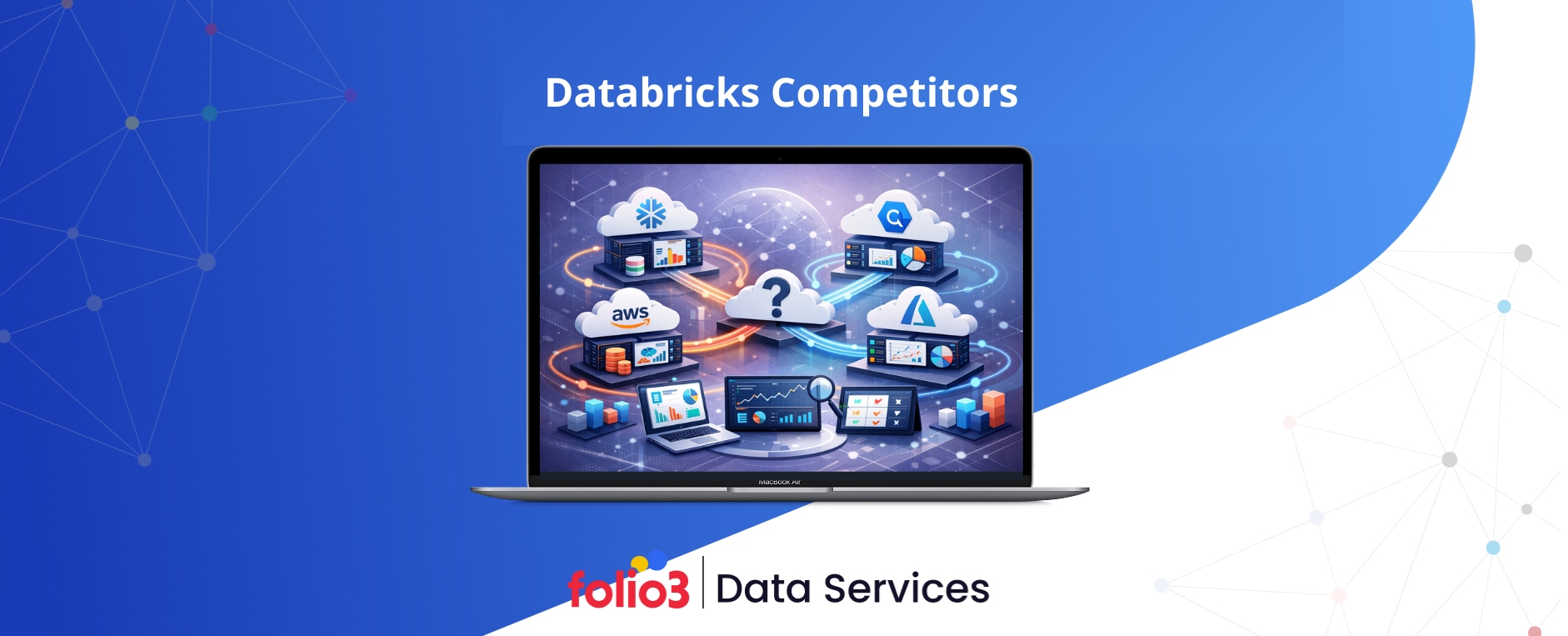

Organizations running large-scale data operations often hit a crossroads with Databricks. The platform excels at machine learning and complex data engineering, but it’s not the perfect fit for everyone. Cost concerns, team skill gaps, and specific workload requirements drive this search for databricks competitors.
Some teams need simpler SQL-focused tools, while others want better pricing transparency or tighter integration with their existing cloud infrastructure. According to IDC’s Worldwide Data Warehouse and Lakehouse Software Forecast, 2025–2029, the data platform market continues to diversify as organizations seek specialized solutions for different workloads. This guide breaks down 15 proven alternatives, helping you understand which platform matches your actual needs rather than just industry hype.
Top Databricks Competitors Compared: Quick Verdict
Here’s a snapshot of the best databricks competitors matched to specific use cases and organizational requirements:
- Best overall alternative: Snowflake (SQL-first analytics with predictable pricing and zero maintenance)
- Best for AWS environments: Amazon Redshift (native AWS integration and cost-effective warehousing)
- Best for serverless scale: Google BigQuery (massive-scale analytics without infrastructure management)
- Best for Microsoft ecosystem: Azure Synapse Analytics (seamless Power BI and Azure Data Lake integration)
- Best for cost optimization: Apache Spark (open-source flexibility with complete control)
- Best for lakehouse architecture: Dremio (open lakehouse with Iceberg-based query acceleration)
- Best for federated queries: Starburst (query multiple data sources without data movement)
- Best for hybrid deployment: Cloudera Data Platform (on-premises and multi-cloud workloads)
- Best for real-time analytics: ClickHouse (sub-second query performance on billions of rows)
- Best for data orchestration: Azure Data Factory (pipeline management and ETL workflows)
- Best for batch processing: Amazon EMR (flexible Spark clusters with spot instance savings)
Top 15 Databricks Competitors & Alternatives (2026)
1. Snowflake
Best for: SQL-first analytics and BI teams
Snowflake built its reputation on making data warehousing simple and accessible. Business analysts love its zero-maintenance architecture and instant scalability. The platform separates storage from compute, letting teams scale resources independently without infrastructure headaches.
Overview
Snowflake operates as a fully managed cloud data warehouse across AWS, Azure, and Google Cloud. Users write standard SQL queries without worrying about cluster configuration or performance tuning. The platform automatically handles optimization, making it ideal for teams without deep technical expertise.
Strengths vs Databricks
Snowflake excels at traditional BI workloads and ad-hoc analytics. Its query performance consistently beats Databricks for structured data analysis. Business users find the interface more intuitive, and predictable pricing eliminates surprise bills. When comparing Snowflake and Databricks, organizations often note that Snowflake’s automatic scaling handles concurrent users more seamlessly than Databricks’ cluster-based management.
Limitations
Machine learning capabilities lag behind Databricks significantly. Real-time streaming support remains limited compared to Spark-based solutions. Data engineering teams miss the flexibility and control that Databricks provides. Complex transformations often require workarounds, and Python support feels like an afterthought rather than a core feature.
Databricks vs Snowflake Comparison
Databricks wins for ML engineering and real-time processing, while Snowflake dominates SQL analytics and BI reporting. Cost structures differ fundamentally: Snowflake charges per-second compute usage, Databricks bills for DBU consumption. According to Forrester’s 2024 Cloud Data Warehouse Wave, Snowflake users report 40% faster time-to-insight for standard analytics workflows.
When to Choose Snowflake Instead of Databricks
Pick Snowflake when your team primarily runs SQL queries, builds BI dashboards, and needs predictable costs. It’s perfect for organizations with more business analysts than data engineers. Many companies also engage Snowflake consulting partners to optimize warehouse performance, cost governance, and data modeling practices as their usage scales. Choose it if you want instant scalability without managing infrastructure or if your ML needs are minimal.
2. Amazon Redshift
Best for: AWS-native enterprises
Amazon Redshift serves organizations deeply invested in the AWS ecosystem. This columnar data warehouse integrates seamlessly with S3, Lambda, and other AWS services. It delivers fast query performance at a fraction of Databricks’ cost for many workloads.
Overview
Redshift offers both serverless and provisioned cluster options. The serverless version automatically scales capacity, while provisioned clusters give cost-conscious teams predictable billing. Recent updates added materialized views, automatic table optimization, and improved ML integration through SageMaker.
Redshift vs Databricks
Redshift costs significantly less for standard analytics workloads. Its AWS-native architecture eliminates data movement overhead, and familiar SQL syntax reduces learning curves. However, Databricks handles complex data engineering better, offers superior Spark performance, and provides more advanced ML capabilities built into the platform.
Cost & Performance Comparison
Redshift typically costs 30-50% less than Databricks for equivalent analytical workloads. Provisioned clusters offer the best value for predictable usage patterns. Performance matches or exceeds Databricks for SQL queries but falls behind for iterative ML training and real-time processing scenarios.
Ideal Workloads
Redshift excels at business intelligence, reporting dashboards, and data warehousing tasks. Choose it for batch analytics, aggregation queries, and workloads with predictable resource needs. It’s perfect when your data already lives in S3 and your team knows SQL better than Python or Scala.
3. Google BigQuery
Best for: Serverless analytics at massive scale
Google BigQuery eliminates infrastructure management completely. You upload data and run queries without provisioning servers or configuring clusters. The platform scales automatically from gigabytes to petabytes, charging only for actual query processing and storage consumed.
Overview
BigQuery uses Google’s Dremel technology to scan massive datasets in seconds. It separates storage costs from compute costs, making it economical for infrequently accessed data. Built-in ML capabilities let analysts build models using SQL, and real-time streaming ingestion supports live dashboards.
BigQuery vs Databricks
BigQuery wins on operational simplicity and serverless scaling. Teams start analyzing data within minutes, not hours. Databricks provides more control over execution plans, better Spark integration, and superior capabilities for complex data engineering pipelines. BigQuery’s pricing becomes more predictable for analytical workloads, while Databricks offers better cost control for ML training.
Pricing and Performance Model
BigQuery charges per terabyte scanned, encouraging query optimization through partitioning and clustering. On-demand pricing suits variable workloads, while flat-rate pricing benefits heavy users. Performance scales linearly with data size, and Google’s network infrastructure delivers consistent query speeds regardless of dataset location.
ML & AI Capabilities
BigQuery ML lets analysts build regression, classification, and clustering models using SQL syntax. Integration with Vertex AI enables more advanced model training. However, these capabilities remain basic compared to Databricks’ MLflow, AutoML, and distributed training features. Choose BigQuery ML for simple predictions, Databricks for production ML systems.
4. Azure Synapse Analytics
Best for: Microsoft ecosystem users
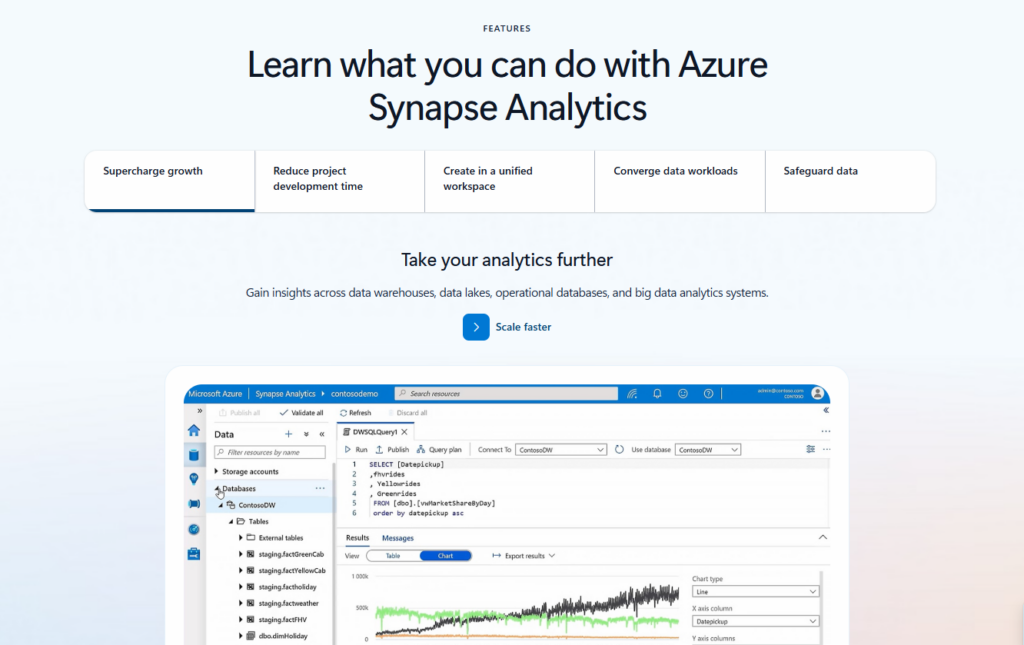
Azure Synapse unifies data warehousing, big data analytics, and data integration in one service. Organizations already using Azure Data Lake, Power BI, and other Microsoft tools find Synapse integration seamless. The platform combines SQL pools, Spark pools, and data pipelines under a single management interface.
Overview
Synapse evolved from Azure SQL Data Warehouse with added Spark capabilities. It offers serverless and dedicated SQL pools for different workload types. Apache Spark pools provide distributed processing, while data flows handle ETL without coding. The studio interface unifies development, monitoring, and management tasks.
Synapse vs Databricks
Synapse costs less for Azure-native workloads and includes tighter Power BI integration. Databricks offers better Spark performance, more mature MLflow capabilities, and superior collaborative notebooks. Synapse appeals to SQL-first teams, while Databricks suits engineering-heavy organizations. Both run on Azure, but Databricks provides true multi-cloud portability.
Integration with Power BI and Azure Data Lake
Synapse connects directly to Power BI with single sign-on and optimized query paths. Data flows automatically from Azure Data Lake Storage without manual configuration. Organizations seeking expert guidance often leverage data integration consulting to design pipelines, optimize ETL processes, and ensure seamless connectivity across systems, reducing development time by 40% for teams building analytical dashboards and reports on Azure data.
Use Cases Where Synapse Wins
Choose Synapse when your organization standardizes on Microsoft technologies, needs integrated ETL and analytics, or wants to minimize data movement costs. It excels at combining structured warehouse queries with occasional Spark processing. Pick it if your analysts primarily use Power BI and SQL Server Management Studio.
5. Apache Spark (Open Source)
Best for: Teams wanting full control and flexibility
Apache Spark remains the foundation underneath Databricks, available freely for any organization willing to manage it. Running your own Spark clusters eliminates vendor lock-in and licensing costs. Teams with strong DevOps capabilities often prefer this approach despite increased operational complexity.
Overview
Spark provides distributed data processing across clusters, supporting batch processing, streaming, SQL queries, and machine learning. It runs on Kubernetes, YARN, or standalone clusters. The ecosystem includes libraries for graph processing, stream processing, and distributed ML training without additional software licenses.
Managed Databricks vs Self-Managed Spark
Databricks adds collaborative notebooks, automated cluster management, optimized runtime, and MLflow integration on top of Spark. Self-managed Spark gives complete control but requires dedicated staff for maintenance, updates, and troubleshooting. Databricks eliminates operational overhead while open-source Spark eliminates recurring platform costs and vendor dependencies.
Cost vs Operational Overhead
Open-source Spark costs nothing for software but requires significant engineering time. You’ll need staff for cluster provisioning, monitoring, security patches, and performance tuning.According to a 2024 study by Unravel Data, organizations spend an average of 2-3 full-time engineers maintaining production Spark environments. Calculate whether platform fees or engineering salaries cost more.
When Open Source is the Better Choice
Choose self-managed Spark when you have strong DevOps capabilities, need maximum customization, or face strict data residency requirements. It’s ideal for organizations avoiding cloud vendor lock-in or running primarily on-premises infrastructure. Pick it if your team already operates Hadoop clusters or Kubernetes environments efficiently.
6. Dremio
Best for: Open lakehouse & SQL acceleration
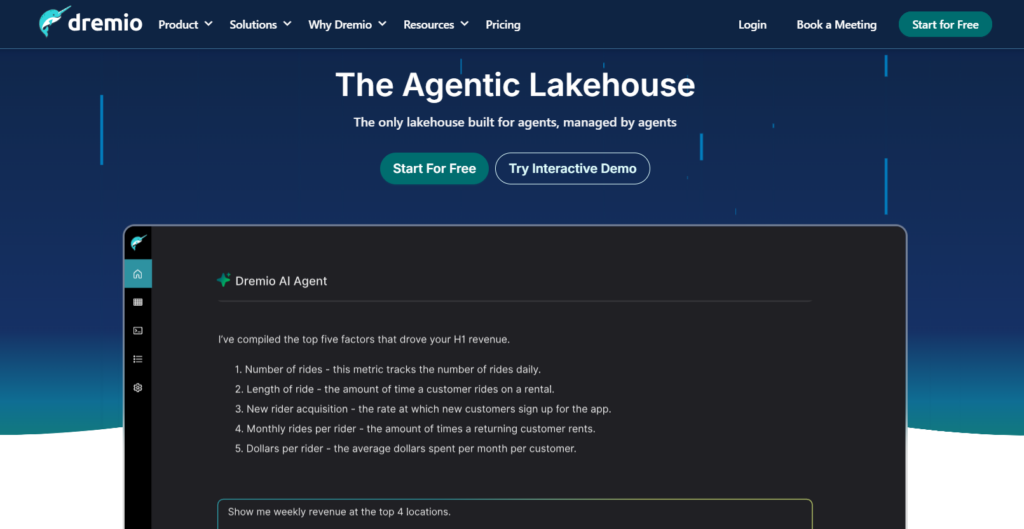
Dremio pioneered the lakehouse approach before Databricks popularized the term. It accelerates queries directly on data lake storage without moving data into proprietary formats. The platform supports Apache Iceberg natively, enabling ACID transactions and time travel on object storage.
Overview
Dremio provides a semantic layer between analysts and data lakes, translating SQL queries into optimized execution plans. Its reflections feature automatically caches frequently accessed data for faster queries. The platform works across multiple cloud storage systems and supports federated queries spanning different sources.
Dremio vs Databricks
Dremio focuses purely on query acceleration and data access, while Databricks offers comprehensive data engineering and ML capabilities. Dremio’s pricing model proves simpler and more predictable for analytics workloads. Databricks provides better support for complex transformations and real-time processing. Choose Dremio for SQL analytics, Databricks for end-to-end data platforms.
Iceberg-Based Lakehouse Approach
Dremio built its architecture around Apache Iceberg from the start, providing mature table evolution, partition evolution, and schema evolution capabilities. This foundation enables reliable analytics on data lakes without moving data into warehouses. Iceberg’s open format prevents vendor lock-in while maintaining performance comparable to proprietary systems.
Performance & Cost Advantages
Dremio eliminates data warehouse loading costs by querying lakes directly. Its reflections cache delivers sub-second performance on common queries while storing data only once. Organizations report 50-70% cost savings compared to traditional warehouses, primarily by avoiding duplicate storage and reducing data movement.
7. Starburst (Trino)
Best for: Federated analytics across data sources
Starburst commercializes Trino (formerly Presto SQL), enabling queries across databases, lakes, and warehouses without data movement. This federated approach eliminates ETL pipelines for many analytics use cases. Organizations query production databases, data lakes, and legacy systems using standard SQL through a single interface.
Overview
Starburst provides enterprise features on top of open-source Trino, including cost-based optimization, query acceleration, and access controls. The platform connects to over 50 data sources, from Oracle databases to S3 buckets. It separates query execution from storage, allowing teams to analyze data wherever it lives.
Starburst vs Databricks
Starburst excels at querying diverse data sources without consolidation. Databricks requires data ingestion into Delta Lake for optimal performance. Starburst suits organizations avoiding data movement, while Databricks works better when building centralized data platforms. Neither platform locks you into specific storage formats, but their architectural philosophies differ fundamentally.
Querying Data Without Moving It
Starburst’s federated model eliminates big data pipeline maintenance for many workloads. Analysts join tables from PostgreSQL, Snowflake, and S3 in single queries without engineers building ETL processes. This approach reduces time-to-insight dramatically but may sacrifice performance compared to co-located data in optimized formats.
Governance Considerations
Federated queries complicate data governance since data remains in source systems. Starburst provides role-based access controls and dynamic data masking across sources, but policies must synchronize with source system permissions. Organizations need clear governance strategies when implementing federated architectures to maintain compliance and security standards.
8. Cloudera Data Platform
Best for: Hybrid & on-premises enterprise environments
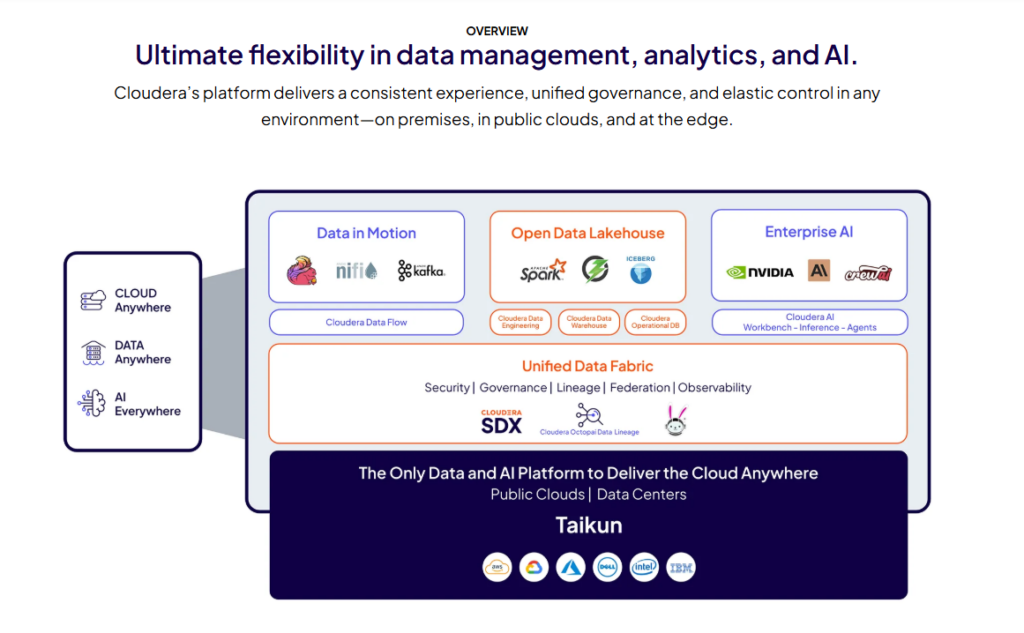
Cloudera dominates hybrid cloud and on-premises big data deployments. Legacy enterprises with existing Hadoop investments often choose Cloudera for modernization. The platform runs consistently across private data centers, AWS, Azure, and Google Cloud, providing true workload portability.
Overview
Cloudera Data Platform evolved from the Hortonworks merger, combining enterprise Hadoop with cloud-native services. It offers managed Spark, data warehousing, machine learning, and data engineering capabilities. The platform emphasizes security, governance, and compliance features required by regulated industries like finance and healthcare.
Cloudera vs Databricks
Cloudera supports hybrid deployments better than Databricks, which focuses primarily on cloud environments. Databricks provides superior performance and developer experience for cloud-native workloads. Cloudera’s comprehensive security features and audit capabilities exceed Databricks’ offerings. Choose Cloudera for on-premises requirements, Databricks for cloud-first strategies.
Legacy Hadoop Transition
Organizations with significant Hadoop investments find Cloudera’s migration path smoother than switching to Databricks. Existing Spark, Hive, and Impala workloads run with minimal modifications. Cloudera supports gradual cloud migration, letting teams move workloads at their own pace rather than forcing immediate cloud adoption.
Security & Compliance Strengths
Cloudera provides built-in encryption, fine-grained access controls, and comprehensive audit logging meeting strict regulatory requirements. Integration with enterprise identity providers and security information systems exceeds most cloud-native platforms. Industries like banking and healthcare often choose Cloudera specifically for these security and compliance capabilities.
9. Oracle Autonomous Data Warehouse
Best for: Oracle-centric enterprises
Oracle Autonomous Data Warehouse automates database tuning, security patching, and backup operations using machine learning. Organizations heavily invested in Oracle applications and databases find seamless integration with existing systems. The platform requires minimal DBA intervention while maintaining Oracle’s legendary reliability.
Overview
Oracle ADW runs on Oracle Cloud Infrastructure, providing both autonomous and manual management options. It automatically indexes data, tunes queries, and adjusts resources based on workload patterns. Native integration with Oracle Analytics Cloud, APEX, and other Oracle tools creates a complete analytics stack.
Oracle ADW vs Databricks
Oracle ADW excels at traditional data warehousing and Oracle ecosystem integration. Databricks offers superior big data processing and ML capabilities. Oracle’s autonomous features reduce DBA workload more effectively than Databricks’ managed services. Choose Oracle ADW when your organization runs primarily on Oracle technology, Databricks for diverse data engineering needs.
Performance Automation Capabilities
Oracle’s autonomous features continuously monitor and optimize database performance without human intervention. The system automatically creates indexes, materializes views, and adjusts statistics based on query patterns. This automation delivers consistent performance while reducing administrative overhead by 60-80% compared to traditional Oracle databases.
Enterprise Governance Features
Oracle ADW inherits decades of enterprise database governance capabilities, including row-level security, virtual private databases, and data redaction. Integration with Oracle Identity Management provides centralized access control. Audit capabilities exceed most cloud-native platforms, making ADW attractive for highly regulated industries.
10. IBM watsonx.data
Best for: AI-driven enterprise analytics
IBM watsonx.data combines data lakehouse capabilities with IBM’s AI and governance tools. The platform emphasizes responsible AI, explainability, and compliance features required by regulated industries. Organizations using other IBM software find tight integration with watsonx.ai and enterprise tools.
Overview
Watsonx.data provides a lakehouse built on open formats like Iceberg and Parquet. It includes built-in governance, metadata management, and integration with IBM’s AI platform. The system runs on-premises, in IBM Cloud, or other cloud providers, offering deployment flexibility uncommon among modern data platforms.
IBM watsonx.data vs Databricks
Watsonx.data emphasizes governance and AI ethics more strongly than Databricks. Databricks offers better performance and a more mature ecosystem of integrations. IBM’s platform suits enterprises prioritizing compliance and responsible AI, while Databricks appeals to teams focusing on speed and flexibility in ML development.
Open Table Format Support
IBM built watsonx.data around Apache Iceberg from inception, ensuring compatibility with other lakehouse platforms. This open approach prevents vendor lock-in and enables gradual migration strategies. Organizations can read data from watsonx.data using Spark, Trino, or other engines without proprietary connectors.
AI and Governance Strengths
Watsonx.data integrates with IBM’s AI governance framework, providing model lineage tracking, bias detection, and explainability features. These capabilities exceed most competitors in regulated industries requiring AI transparency. The platform tracks data lineage automatically, documenting transformations from source to insight for audit purposes.
11. Microsoft Azure Data Factory
Best for: Cloud-native data integration and orchestration on Azure
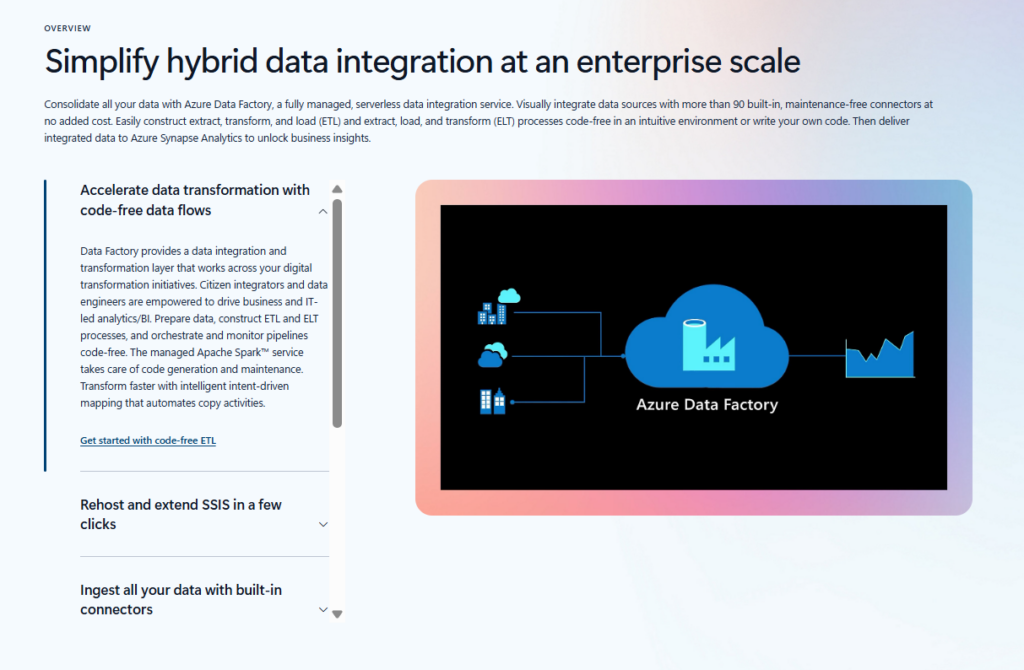
Azure Data Factory orchestrates data movement and transformation across Azure services and external systems. This managed ETL service handles scheduling, monitoring, and error handling without code. Teams building data pipelines on Azure often start with Data Factory before considering more complex platforms.
Overview
Data Factory provides visual pipeline design and code-based options for different skill levels. It integrates natively with Azure storage, databases, and analytics services. The platform supports over 90 built-in connectors, handling data movement from legacy systems to modern cloud storage and processing engines.
Azure Data Factory vs Databricks
Data Factory focuses specifically on data integration and orchestration, while Databricks provides comprehensive processing capabilities. Many organizations use both together: Data Factory for pipeline orchestration, Databricks for complex transformations. Data Factory’s visual interface suits less technical teams, while Databricks appeals to engineers preferring code-first approaches.
Data Ingestion and Pipeline Orchestration Capabilities
Data Factory excels at scheduling recurring data loads, handling dependencies between pipeline stages, and monitoring execution status. Its mapping data flows provide no-code transformations for common patterns. However, complex business logic often requires calling external processing engines like Databricks or Synapse Spark pools.
When Azure Data Factory is the Better Choice
Choose Data Factory when you need simple data movement between systems, have non-technical team members building pipelines, or want Azure-native orchestration. It’s perfect for organizations migrating from SSIS or other legacy ETL tools. Pick Databricks instead when transformations require custom code or advanced ML capabilities.
12. Amazon EMR
Best for: Managed big data processing on AWS
Amazon EMR provides managed Hadoop, Spark, Presto, and other big data frameworks on AWS. Teams get full control over cluster configuration while AWS handles infrastructure provisioning and maintenance. Cost-conscious organizations often choose EMR over Databricks for flexibility in cluster management and pricing.
Overview
EMR runs open-source frameworks without proprietary modifications, ensuring compatibility with standard tools and libraries. As one of the leading big data platforms, it supports spot instances for significant cost savings on fault-tolerant workloads and integrates deeply with S3, enabling separation of storage and compute for cost optimization.
Amazon EMR vs Databricks
EMR costs 50-70% less than Databricks for equivalent Spark workloads when using spot instances and right-sized clusters. Databricks provides better developer experience, collaborative notebooks, and managed MLflow. Choose EMR for cost-sensitive workloads with strong engineering teams, Databricks for productivity and collaboration features.
Cost Control and Cluster Flexibility
EMR’s pricing flexibility exceeds most managed platforms. Teams choose instance types, cluster sizes, and autoscaling policies precisely matching workload requirements. Spot instance support reduces costs dramatically for non-critical processing. However, this flexibility requires more operational expertise than Databricks’ simplified cluster management.
Ideal Workloads for EMR
EMR excels at batch processing large datasets, running scheduled Spark jobs, and workloads tolerant of cluster failures. It’s perfect for organizations prioritizing cost over convenience or those with existing Spark expertise. Choose EMR when your team can manage clusters effectively and you need maximum control over infrastructure costs.
13. Google Cloud Dataproc
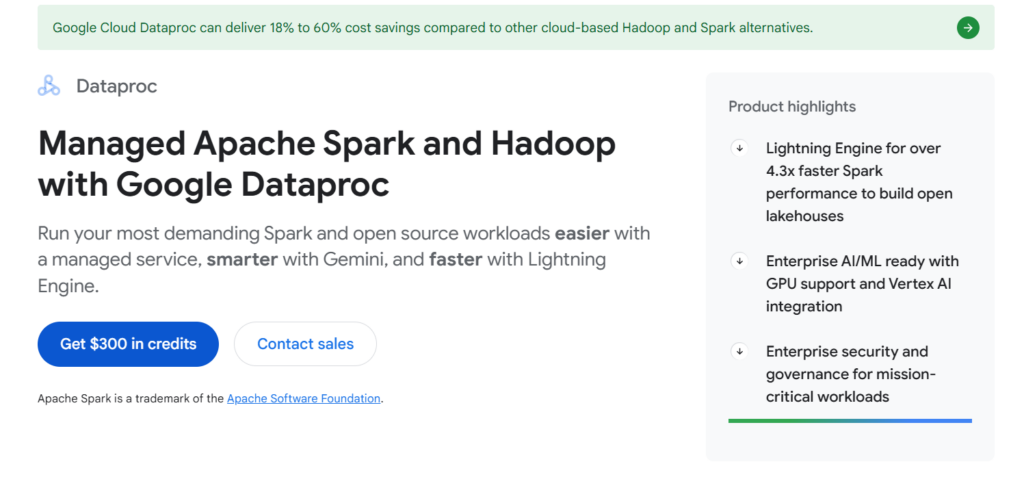
Best for: Managed Spark and Hadoop workloads on Google Cloud
Google Cloud Dataproc provides fully managed Spark and Hadoop clusters on Google Cloud Platform. Clusters start in 90 seconds and scale rapidly, charging per-second usage. Organizations already using GCP services find Dataproc integration seamless and cost-effective for big data processing.
Overview
Dataproc runs standard open-source frameworks without modifications, ensuring compatibility with existing Spark code. It integrates natively with BigQuery, Cloud Storage, and other GCP services for big data storage. Autoscaling adjusts cluster size based on workload, and ephemeral clusters minimize costs by terminating after job completion.
Dataproc vs Databricks
Dataproc costs significantly less for straightforward Spark workloads, especially using ephemeral clusters. Databricks offers superior collaborative features, optimized runtimes, and integrated ML capabilities. Choose Dataproc for cost-sensitive batch processing on GCP, Databricks for interactive data science and complex ML workflows.
Pricing and Operational Simplicity
Dataproc charges standard compute pricing plus a small management fee, making costs transparent and predictable. Per-second billing and ephemeral clusters reduce waste dramatically. However, teams must handle notebook environments, ML tracking, and collaboration separately, adding operational complexity Databricks eliminates.
When Dataproc Makes More Sense Than Databricks
Pick Dataproc when you run scheduled Spark jobs on GCP, need minimal operational overhead, or want cost transparency. It’s ideal for teams migrating from on-premises Hadoop or running ETL workloads without extensive ML requirements. Choose it if your data already lives in Cloud Storage or BigQuery.
14. Talend Data Fabric
Best for: Enterprise data integration and data quality management
Talend Data Fabric provides comprehensive data integration, quality, governance, and preparation capabilities. The platform emphasizes data quality and master data management more than pure analytics processing. Enterprises with complex data integration needs across many systems often choose Talend over analytics-focused platforms.
Overview
Talend offers visual data pipeline design with code generation for various execution engines including Spark. It includes built-in data quality rules, profiling capabilities, and master data management. The platform handles batch, streaming, and API integration patterns within a unified interface.
Talend Data Fabric vs Databricks
Talend excels at enterprise data integration scenarios involving dozens of source systems and complex quality rules. Databricks provides superior performance for analytics and ML workloads. Talend’s data quality features exceed Databricks’ capabilities significantly. Organizations often use Talend for integration and Databricks for analytics on the integrated data.
Data Governance and Quality Features
Talend provides comprehensive data profiling, quality scoring, and cleansing capabilities built into integration pipelines. Its governance features track data lineage across complex transformations and maintain business glossaries. These capabilities make Talend attractive for organizations where data quality and regulatory compliance drive technology choices.
Use Cases Where Talend is a Stronger Fit
Choose Talend when integrating many heterogeneous systems, implementing master data management, or requiring extensive data quality rules. It’s perfect for organizations migrating from Informatica or other enterprise integration platforms. Pick Databricks instead when analytics and ML workloads dominate over data movement tasks.
15. ClickHouse
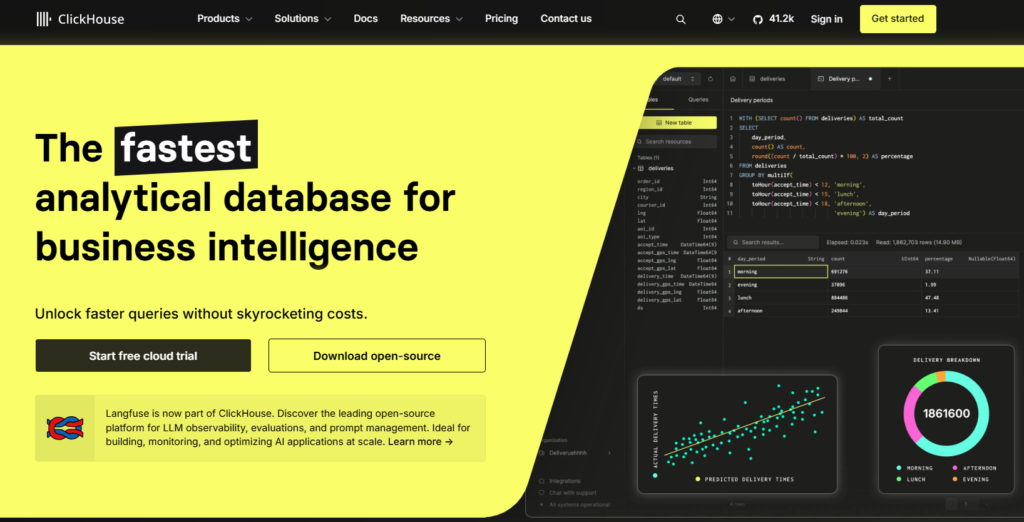
Best for: Real-time and high-performance analytics
ClickHouse delivers exceptional query performance on analytical workloads through columnar storage and vectorized execution. This open-source database specializes in real-time analytics, handling billions of rows with sub-second query responses. Organizations needing instant insights from massive datasets often choose ClickHouse over general-purpose platforms.
Overview
ClickHouse stores data in highly compressed columnar format optimized for aggregation queries. Its data ingestion architecture supports real-time ingestion and immediate querying without indexing delays. The system scales horizontally across servers and vertically within nodes, providing flexibility for different deployment scenarios.
ClickHouse vs Databricks
ClickHouse excels at pure analytics speed, often outperforming Databricks by 10-100x for aggregation queries on large tables. Databricks provides comprehensive data engineering and ML capabilities ClickHouse lacks. Choose ClickHouse for real-time dashboards and operational analytics, Databricks for end-to-end data platforms requiring transformations and ML.
Query Speed and Efficiency
ClickHouse achieves remarkable performance through aggressive compression, vectorized execution, and sparse indexing. Queries scanning billions of rows complete in seconds rather than minutes. However, this speed comes with tradeoffs: complex joins and updates perform poorly, making ClickHouse unsuitable as a general-purpose database.
Ideal Real-Time Use Cases
ClickHouse excels at real-time analytics dashboards, application monitoring, log analysis, and time-series data processing. It’s perfect when you need instant query responses on constantly growing datasets. Choose ClickHouse when query speed matters more than data engineering capabilities or when building real-time operational analytics systems.
Databricks Competitors Comparison Table
| Platform | Best For | Architecture | Pricing Model | ML Capabilities | Cloud Support |
| Snowflake | SQL analytics | Data warehouse | Per-second compute | Basic | AWS, Azure, GCP |
| Amazon Redshift | AWS enterprises | Data warehouse | Hourly/serverless | Basic via SageMaker | AWS only |
| Google BigQuery | Serverless scale | Data warehouse | Per-query | SQL-based ML | GCP only |
| Azure Synapse | Microsoft ecosystem | Hybrid | Multiple options | Moderate | Azure only |
| Apache Spark | Maximum control | Open source | Infrastructure costs | Advanced | Any |
| Dremio | Lakehouse queries | Query engine | Consumption | Limited | Multi-cloud |
| Starburst | Federated analytics | Query engine | Consumption | Limited | Multi-cloud |
| Cloudera | Hybrid/on-premises | Hadoop-based | Subscription | Advanced | Multi-cloud/on-prem |
| Oracle ADW | Oracle ecosystem | Data warehouse | OCPU-based | Moderate | Oracle Cloud |
| IBM watsonx.data | AI governance | Lakehouse | Subscription | Advanced | Multi-cloud |
| Azure Data Factory | Data orchestration | ETL/ELT service | Pipeline runs | None | Azure only |
| Amazon EMR | Cost optimization | Managed clusters | Hourly compute | Via external tools | AWS only |
| Google Cloud Dataproc | GCP batch processing | Managed clusters | Per-second | Via external tools | GCP only |
| Talend Data Fabric | Data integration | Integration platform | Subscription | Limited | Multi-cloud |
| ClickHouse | Real-time analytics | Columnar database | Infrastructure costs | None | Any |
How We Evaluated Databricks Competitors
Understanding which platform fits your needs requires looking beyond marketing claims. We evaluated competitors across seven critical dimensions that impact real-world success. These criteria reflect actual decision factors from organizations selecting data platforms.
1. Architecture (Lakehouse, Warehouse, Hybrid)
Platform architecture determines flexibility, performance, and long-term scalability. Lakehouse architectures like Databricks and Dremio provide flexibility for diverse workloads. Traditional warehouses like Snowflake and Redshift optimize for SQL analytics. Hybrid platforms like Cloudera and Synapse balance multiple requirements. Your architecture choice should match workload diversity.
2. Performance & Scalability
Query speed and scaling capabilities vary dramatically across platforms. We evaluated response times for typical analytical queries, data loading speeds, and concurrent user handling. ClickHouse and BigQuery excel at pure query speed, while Databricks and Spark-based platforms handle complex transformations better. Consider your specific performance requirements rather than generic benchmarks.
3. Pricing Transparency
Understanding actual costs proves surprisingly difficult across data platforms. Snowflake and BigQuery offer relatively transparent pricing models. Databricks DBU consumption often surprises new users. EMR and Dataproc provide the most predictable costs using standard compute pricing. Calculate expected monthly costs before committing to any platform.
4. SQL, BI & ML Support
Different platforms prioritize different analytical paradigms. Snowflake and BigQuery excel at SQL analytics but offer limited ML capabilities. Databricks provides comprehensive ML features but requires more technical expertise. Consider your team’s skills and primary use cases when evaluating this dimension.
5. Cloud Compatibility (AWS, Azure, GCP)
Cloud vendor alignment affects costs, integration complexity, and data movement overhead. Native platforms like Redshift, BigQuery, and Synapse offer tightest integration with respective clouds. Multi-cloud platforms like Snowflake and Databricks provide portability but may sacrifice some native integration benefits. Match platform choice to your cloud strategy.
6. Governance, Security & Compliance
Regulatory requirements often dictate platform selection for enterprises. Cloudera and IBM watsonx.data provide the most comprehensive features for data strategy and data governance. Cloud-native platforms increasingly improve security capabilities but may lack advanced audit trails. Evaluate specific compliance requirements like HIPAA, SOC 2, or GDPR against platform certifications.
7. Ideal Customer Profile
Each platform serves specific organizational archetypes best. Small teams favor serverless platforms like BigQuery. Large enterprises choose proven platforms like Snowflake or Cloudera. ML-focused organizations prefer Databricks or Spark-based solutions. Understanding your organization’s profile helps narrow appropriate options quickly.
Databricks vs Competitors: Which Should You Choose?
Selecting the right platform depends on your organization’s specific context rather than absolute platform superiority. Different teams with different needs should choose different platforms. These guidelines help identify which category your organization falls into.
Choose Databricks If:
1. Heavy Spark & ML Workloads
Databricks remains unmatched for production machine learning systems requiring distributed training, comprehensive experiment tracking, and model deployment workflows. Organizations building ML products as core business capabilities should strongly consider Databricks. Its MLflow integration and collaborative notebooks accelerate model development significantly.
2. Real-time + Batch Pipelines
Combining streaming and batch processing in single pipelines proves easier on Databricks than alternatives. Delta Lake enables this unified architecture elegantly, making it a strong choice for organizations designing modern big data architecture that supports both real-time insights and historical analytics. Choose Databricks when you need consistent data engineering patterns across both processing paradigms without maintaining separate systems.
3. Engineering-Driven Teams
Organizations with strong data engineering capabilities extract maximum value from Databricks’ flexibility and control. Teams comfortable with Python, Scala, and distributed systems benefit from Databricks’ code-first approach. The platform rewards technical expertise with superior performance and capabilities.
Choose a Databricks Alternative If:
1. SQL-First Analytics
Teams primarily running SQL queries for business intelligence should consider Snowflake, BigQuery, or Redshift instead. These platforms deliver better performance and simpler interfaces for SQL-centric workloads. Cost structures often favor warehouses over lakehouse platforms for pure analytics use cases.
2. Predictable Pricing Required
Organizations needing precise cost forecasting struggle with Databricks’ DBU consumption model. Platforms like Redshift provisioned clusters or BigQuery flat-rate pricing provide more predictable monthly costs. Consider alternatives when finance teams require guaranteed budget compliance over platform capabilities.
3. Business Users Dominate Analytics
Self-service analytics for business users works better on warehouse platforms with simpler interfaces. Databricks requires technical skills that many analyst teams lack. Choose Snowflake or similar platforms when democratizing data access matters more than advanced engineering capabilities.
4. Strong Cloud Ecosystem Dependency
Organizations standardizing on single cloud providers benefit from native platforms like Redshift, BigQuery, or Synapse. Tighter integration reduces complexity and often costs less than multi-cloud platforms. Select cloud-native options when you’re committed long-term to AWS, GCP, or Azure respectively.
FAQs
Who Are Databricks’ Main Competitors?
Snowflake leads as Databricks’ primary competitor for analytics workloads, while Amazon Redshift and Google BigQuery compete strongly in their respective cloud ecosystems. Azure Synapse competes on Microsoft-heavy enterprises. Open-source Apache Spark provides a free alternative for teams wanting maximum control without vendor management.
Is Snowflake Better Than Databricks?
Snowflake excels for SQL-focused analytics teams needing simple interfaces and predictable pricing, while Databricks wins for machine learning workloads and complex data engineering pipelines. Neither platform is universally better. Organizations should choose based on specific workload requirements, team skills, and budget constraints rather than general superiority claims.
What Is the Best Open-Source Alternative to Databricks?
Apache Spark provides the closest open-source equivalent to Databricks’ core processing engine. However, you’ll need additional tools for notebooks, cluster management, ML tracking, and collaboration. ClickHouse serves as an excellent open-source option specifically for real-time analytics. Expect higher operational overhead with open-source solutions but complete control and zero licensing costs.
Can Databricks Be Replaced by BigQuery?
BigQuery effectively replaces Databricks for SQL analytics and BI workloads but cannot match Databricks’ machine learning and real-time processing capabilities. Organizations running primarily analytical queries on Google Cloud should seriously consider BigQuery. Teams building ML applications or complex data engineering pipelines will find BigQuery limiting compared to Databricks’ comprehensive capabilities.
Which Is Cheaper: Databricks or Snowflake?
Snowflake typically costs less for SQL-heavy analytical workloads due to its efficient query execution and predictable pricing model. Databricks becomes more cost-effective for machine learning workloads and complex transformations leveraging Spark. Actual costs depend heavily on specific usage patterns, with neither platform consistently cheaper across all scenarios. Organizations should conduct proof-of-concept testing with representative workloads.
Is Databricks Better Than BigQuery for Data Engineering?
Databricks provides superior data engineering capabilities compared to BigQuery, offering more control over execution plans, better support for complex transformations, and comprehensive ETL/ELT tools. BigQuery serves primarily as a data warehouse with limited transformation capabilities. Choose Databricks when building complex data pipelines requiring custom logic or iterative processing. Pick BigQuery for simpler analytics workflows.
Can Apache Spark Fully Replace Databricks?
Apache Spark provides Databricks’ core processing engine but requires significant additional infrastructure for production use. You’ll need to build or integrate notebook environments, cluster management, authentication, monitoring, and ML tracking systems separately. Organizations with strong DevOps capabilities can replicate Databricks functionality using open-source components, but operational costs often exceed platform fees.
Which Databricks Competitor Is Best for AWS Environments?
Amazon Redshift provides the best integration for SQL analytics workloads on AWS, while Amazon EMR offers maximum flexibility for big data processing at lower costs. Snowflake runs well on AWS but adds abstraction layers. Choose Redshift for data warehousing, EMR for cost-sensitive Spark workloads, or keep Databricks for comprehensive ML capabilities even on AWS.
Can You Migrate From Databricks to Snowflake or BigQuery?
Migration between platforms requires substantial effort but remains technically feasible. SQL-based workloads translate relatively easily, while PySpark code needs complete rewrites. Organizations should export data to cloud storage, transform schemas for target platforms, and rebuild processing logic using destination platform tools. Budget several months for complete migrations from Databricks to warehouse platforms.
Conclusion
Selecting alternatives to Databricks requires honest assessment of your organization’s actual needs versus aspirational capabilities. Teams focused on SQL analytics benefit from simpler warehouse platforms like Snowflake or BigQuery. Cost-conscious organizations find better value in EMR or Dataproc for Spark workloads. Enterprises with hybrid requirements choose Cloudera or Synapse. Real-time analytics demands ClickHouse performance. Each platform excels in specific contexts, making “best” depend entirely on your workload profile, team skills, and strategic priorities. Test candidates with representative workloads before committing.
Folio3 Data Services helps organizations navigate complex data platform decisions and implementations. Our team specializes in migrating workloads across platforms, optimizing existing deployments, and building custom data engineering solutions. Whether you’re evaluating Databricks competitors or modernizing legacy systems, Folio3 provides the expertise to make successful transitions. We design architectures matching your actual requirements rather than pushing specific vendors, ensuring long-term success for your data initiatives.